
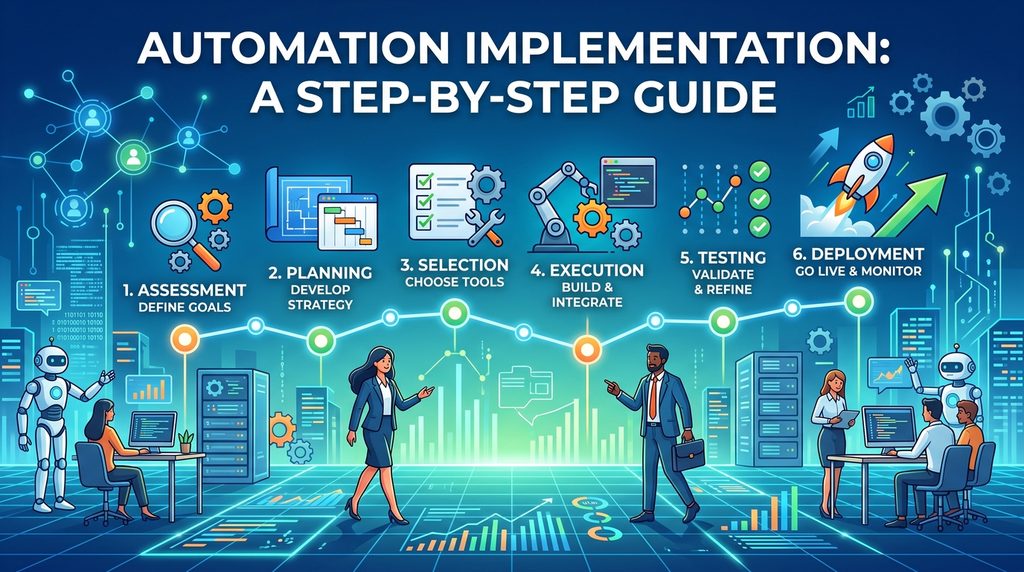
Automation implementation is the planning, building and deployment of software that takes over repetitive, rule-based work, freeing your team for tasks that genuinely need human judgment. Get it right, and you cut processing time, eliminate manual errors and grow output without growing headcount. Get it wrong, and you end up with bots that break within months. Forbes reports that 30-50% of initial automation projects fail, and the culprit is usually poor planning, not bad technology.
As experienced business process automation consultants, we have helped companies like Ray-Ban, Delta Airlines and American Express pick the right processes to automate and build solutions that keep paying off long after go-live. One client saved 80 hours of manual data entry every week just by automating audit report templates.
This guide covers every step of a successful automation implementation: defining business outcomes, building the financial case, running a proof of concept, choosing the right partner and scaling your program over time.
Automation implementation is the process of turning repetitive or inefficient business activities into workflows that require less human intervention. Automation can be relatively simple, such as automatically sending an approval notification. It can also connect several systems, extract and transform data, apply business rules, generate documents, and trigger further actions.
Common automation technologies include:
• Workflow automation connects the steps of a business process so work moves between people and systems without manual handoffs. Think approval chains, document routing or onboarding sequences. See our workflow automation consulting services for examples.
• Robotic process automation (RPA) uses software bots to mimic what a human does on screen: extracting data, filling templates, moving files between applications. We have covered this in depth in our RPA implementation guide.
• API integration connects systems directly at the data level, which is faster and more reliable than screen-based automation when the applications support it. Our API integration services page explains when this route makes sense.
• Intelligent automation layers AI on top, handling unstructured inputs like emails, PDFs and images that rule-based automation cannot process on its own.
The technology matters less than you might think. What determines success is whether you pick the right processes, build a solid case for automating them and put governance in place before the number of automations gets away from you.
Tools come later. Outcomes come first. Before a single platform demo, decide your automation implementation strategy and what the business actually needs from this project. That might look like:
Precision is everything. “We want to be more efficient” is a wish, not a goal, and it produces results to match. Name the specific process, then define what winning looks like for that process and nothing else.
When your shortlist is ready, document each process properly. Map it task by task, capture every system involved and record who owns which step. Consultants will have questions from kickoff to go-live, and good documentation answers most of them before they are asked. Skip this and you pay for it later in delays, rework and a bigger invoice.
Short on ideas? Follow the complaints. The tasks your team moans about most are usually the ones begging to be automated. Browsing these business process automation examples can also show you what organizations like yours have already pulled off.
Deliverables: Problem statement, success KPIs, ranked opportunity backlog, process documentation.
“Can we automate this?” and “should we automate this?” are different questions, and only the second one matters. Answer it by putting real numbers against both sides of the ledger before development starts.
On the benefit side:
On the cost side:
Deliverables: Cost-benefit model, ROI projection, funding plan.
Business case approved? Two decisions remain: the technology and the people.
Start with the technology. Judge each platform against three things: what your organization already runs, what your team already knows and what your budget will stretch to. For businesses built on Microsoft 365, the Power Platform is usually the shortest path to results. It talks natively to the tools your people open every morning and keeps a new vendor off your books. Our Power Automate consultants have shipped hundreds of automations for exactly this reason.
Now the people. A simple weighted scorecard keeps the decision honest: score each candidate on technical fit, domain expertise, governance maturity and commercial model. Anchor your research in verified reviews from projects that resemble yours in scope, industry and complexity. What you want is relevance, not volume. Ten glowing reviews for your exact type of process beat a hundred for something unrelated.
Then apply one final test: does this consultant actually understand what you need? Ask them to walk your scope back to you before anything is signed. If they cannot explain your process now, expect revisions, delays and cost overruns once the build is underway.
Deliverables: Platform decision, partner scorecard, recommendation memo.
Your first automation sets the tone for everything that follows, so choose it carefully. Aim for the middle of the road: representative enough to prove the approach, but not a trivial task and not a regulated process where failure hurts. Give the proof of concept a hard limit of 4-8 weeks and lock in the success metrics before work begins: automation coverage, cycle-time reduction, exception rate and evidence the solution can be kept running without heavy rework.
Bake user acceptance testing and handover documentation into the PoC from the start. Leave them out and you may end up with demo-ware: impressive in a controlled environment, useless the day it touches production.
Whatever the PoC teaches you, fold it into your design standards before scaling up. Fixing a flaw in week six is cheap. Fixing the same flaw after twenty automations have gone live is anything but.
Deliverables: Working pilot, metrics against baseline, go/no-go decision.
The build is half the job. The other half is people. An automation nobody understands is an automation nobody trusts, and one that quickly slides from asset to liability.
Kick off with a structured handover to your internal team covering the logic, the exception handling and every known way it can fail. Back that up with written runbooks: how to monitor it, what to do when it stops working and who owns each piece of the process. Then widen the circle. Everyone whose workflow the automation touches needs training, not just the technical staff. Business users should know exactly what the automation takes care of, where it hands work back to a human and how to report a problem. Familiarity breeds trust, and trust drives adoption.
Once live, wire up error alerts from the first day so failures announce themselves instead of hiding. Most issues take minutes to resolve when caught early and days to untangle when left unnoticed for weeks. Layer reporting on top: error rates, failure categories and month-on-month performance trends. Watch adoption with the same rigor. Users quietly slipping back to the old manual route, or exception volumes creeping higher than forecast, are early warning signs that are easy to correct now and painful to fix once workarounds take root.
Deliverables: Runbooks, adoption metrics baseline, monitoring dashboards, governance playbook, automation pipeline.
Automation removes repetitive tasks such as extracting information, transferring data, refreshing reports, generating documents, and sending routine notifications. This is achieved by connecting the systems involved and triggering the required actions automatically when a defined event occurs.
For example, Vidi Corp implemented RPA and automated reporting for Hakim Group. The resulting reporting automation saves approximately 10 working hours per month while also reducing manual intervention in the workflow.
Automation can reduce process delays by immediately moving information to the next stage instead of waiting for someone to manually transfer it. Approvals, calculations, system updates, and notifications can happen as soon as their trigger conditions are met.
Vidi Corp implemented automated real-time data flows for War Room Operations. The client reported that report generation fell from 48 hours to under five minutes, while strategic decision turnaround became 40% faster.
Automated workflows apply the same rules every time and can transfer data directly between systems. This reduces errors caused by retyping information, copying values between files, or applying calculations inconsistently.
War Room Operations reported an 80% reduction in data-entry errors after automated REST API feeds were implemented. The client also reported data integrity reaching 99.7% across business units.
Automation allows recurring processes to handle more transactions without requiring employee effort to increase at the same rate. This works particularly well when data collection, transformation, reporting, and distribution can all be triggered automatically.
Isovolta AG automated financial reporting through Power BI and RPA-driven workflows. The implementation saved approximately 10 working hours per month while reducing manual errors and improving data accuracy.
Automating a broken process just produces faster broken output. Before implementing automation, analyze the existing workflow for bottlenecks, redundant steps and tasks that add no value, and strip those out first. A streamlined process is cheaper to automate, easier to maintain and delivers a bigger return.
Resist the temptation to automate everything at once. One well-chosen process delivered end to end builds trust, surfaces the practical lessons and creates the internal momentum for a wider rollout. Quick wins fund patient wins.
Automations must be reliable, accurate and resilient to change. Validate that they perform tasks as intended, handle exceptions gracefully and cope when the underlying systems update. Quality assurance does not end at deployment either: continuous monitoring and feedback loops are what keep automations trustworthy over years rather than months.
A process can be technically easy to automate and still deliver almost no value. Teams often pick the workflows that are simplest to build rather than the ones that matter, ending up with automations that work but barely move the needle. Estimate the time, cost, revenue or risk impact of each candidate before development starts. A build that saves two hours a week rarely justifies itself; one that saves two hours per person per day across a 30-person team certainly does. Prioritize workflows where automation changes a meaningful business outcome.
Most automation problems appear outside the standard workflow. Employees know that “this customer always works differently” or that a certain file needs special treatment, but that knowledge lives in people’s heads, and an automation has no such intuition. Exceptions missed during process mapping resurface later as production errors and failed runs. Hunt for them deliberately: interview the people who actually run the process, then decide for each exception whether to automate it or route it to a person. Both answers are fine; discovering the exception in production is not.
Automation does not fix bad data, it moves bad data much faster. A manual process has a built-in safety net in the person who spots the duplicate record or the obviously wrong amount; remove the person and that net disappears. Review the required data before you build. Standardize formats, remove unnecessary duplicates, define mandatory fields and enforce them at the point of entry. Assign a named owner for important source data so quality problems get fixed at the source rather than patched in every workflow that touches them.
Not all systems are willing to talk to each other. Some offer extensive APIs, while others have limited ones, expensive connectors or no integration capability at all, and legacy systems are frequent offenders. Assess this early because integration constraints can completely change the technical design, cost and timeline. Discovering in week six that a system only exports nightly CSV files is an expensive lesson. Where native integration is missing, options include custom API development, RPA, intermediary databases or scheduled file transfers, each with its own trade-offs.
Every automation needs an owner after deployment.
Someone should know:
Without clear ownership, automations gradually become difficult to maintain as business rules and systems change.
Most failed automation programs do not die of technology. They die of governance neglect. Without a central inventory, development standards, change control and monitoring, automations break when interfaces shift, credentials expire or data formats drift. Warning signs of weak governance include failure spikes after application upgrades, duplicate automations built by different teams and an audit trail nobody can follow. Start governance before proliferation, not after.
The right platform depends on the process.
Microsoft Power Automate is a strong choice for workflow automation, particularly for organisations already using Microsoft 365, SharePoint, Teams, Dynamics 365, and Power BI.
Power Automate Desktop supports RPA where desktop or legacy software needs to be controlled through its user interface.
Power Apps can provide a custom interface through which employees submit information or interact with automated workflows.
UiPath, Automation Anywhere, and Blue Prism are commonly used for enterprise RPA programmes with larger bot estates.
APIs and custom Python development are useful when direct integrations, specialised data transformations, scraping, or high-volume automated processing are required.
AI services can extend traditional automation into documents and unstructured information. They can extract data from PDFs, classify incoming requests, summarise text, or help route information based on its content.
There is no requirement to use only one platform. End-to-end automation frequently combines several technologies.
Successful automation implementation starts with the process, not the platform. Define a measurable objective, map how the work actually happens, simplify the workflow, and then choose the technology that fits it.
Start with one process where the value is easy to measure. Once it works reliably, use what you learned to build the next automation and gradually expand your programme.
If you need support identifying, designing, or implementing automation opportunities, Vidi Corp can help assess your processes and turn the strongest opportunities into working automations.
Define the business outcome before touching any technology. Name the specific process you want to improve, measure how it performs today and set a concrete target such as cutting cycle time by 40%. Every later decision, from process selection to platform choice, flows from that goal.
A time-boxed proof of concept typically takes 4-8 weeks. Scaling from one automation to a broader program usually happens over several months, with each new process building on the standards and lessons of the last.
High-volume, rule-based processes that are prone to human error and unlikely to change soon. Data entry, report generation, template population and repetitive approvals are the classic starting points.
It depends on scope, but the cost is driven by three things: development effort, licensing and ongoing maintenance. A single well-scoped workflow built on tools you already license, such as Power Automate inside an existing Microsoft 365 subscription, can be delivered for a few thousand pounds or dollars. Multi-system programs involving RPA, custom integrations or legacy systems typically run into five or six figures. Build the cost-benefit model described in Step 2 before committing, so the investment is anchored to a measurable saving rather than a hope.


