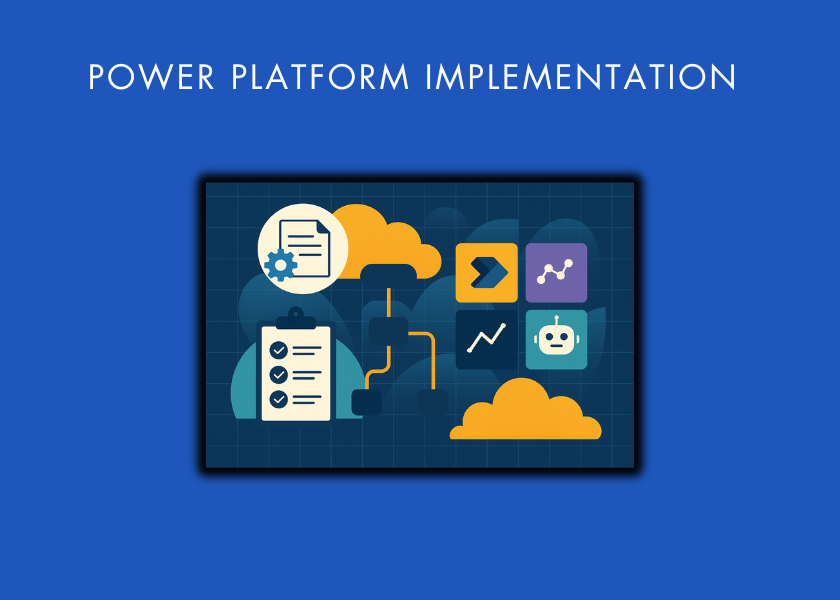
We design and build low-code and no-code applications that turn manual processes into working software. These apps replace spreadsheets, connect to the systems you already run, and take over the repetitive work your team does by hand.
Our build specialism is the Microsoft Power Platform, and we pick the right approach for each process rather than forcing one tool onto every problem. You are not signing up for a long, expensive development project. Most apps are working within days, not months.
1000+
Completed
projects
600+
Happy
clients
20k+
Hours
worked
Low-code and no-code development is a faster way to build business applications. It uses visual tools, reusable components, connectors, and workflow logic instead of writing every part of an application by hand.
This approach suits most internal business processes. It can replace manual spreadsheets, disconnected forms, email approvals, and repetitive admin. The result is a shorter build cycle, less operational friction, and clearer visibility across the business.
We deliver these services on the Microsoft Power Platform, where our team has the deepest experience. When a process needs a different tool, we tell you; our job is the outcome, not the licence.

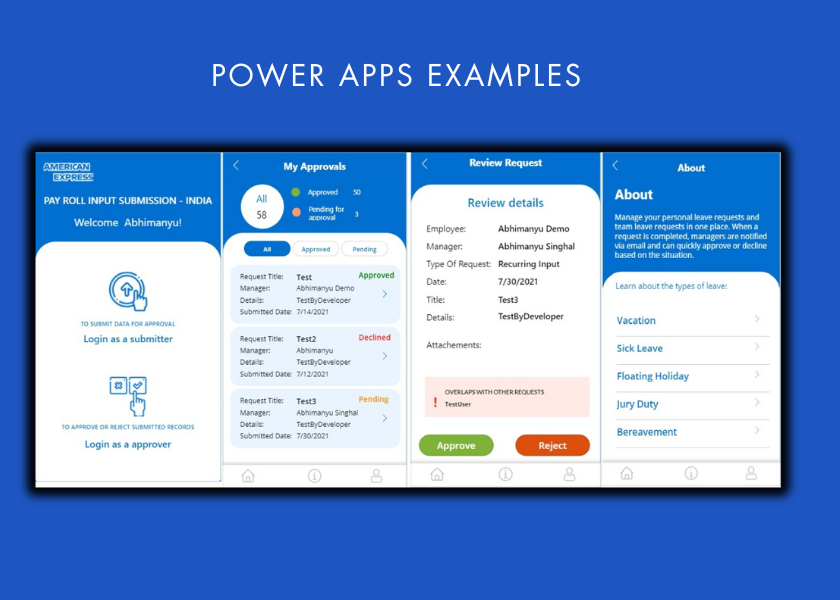
Our Power Apps Consultants build custom business applications for data entry, inspections, approvals, case management, and internal service delivery. Each app is designed around how your team actually works.
We focus on a simple user experience, clean data capture, clear permissions, and reliable performance on desktop and mobile. Our builds use Microsoft Power Apps, SharePoint, Dataverse, and Azure SQL, connected to the tools you already use.

Our Business Process Automation Services include automating repetitive business processes using Power Automate, RPA, API workflows, and Microsoft ecosystem tools. This can include approvals, notifications, document routing, finance processes, reporting refreshes, data extraction, payroll workflows, and operational handoffs.
The goal is to reduce manual work, improve accuracy, and give teams more time to focus on higher-value tasks. In previous automation projects, clients have reported outcomes such as 10+ hours saved per month, 30+ hours saved per month, and 50 hours saved per week depending on the process scope.

We connect low-code apps and workflows with the systems your business already uses. This can include QuickBooks Online, Shopify, SAP Ariba, Zoho, SharePoint, SQL databases, ERP systems, CRM platforms, marketing platforms, and custom APIs.
Our integration experience is one of our key advantages over generic no code providers. Because we also specialise in data engineering, BI, APIs, and automation, we can build low-code solutions that do not sit in isolation. They become part of a connected operational system.

Many business-critical processes still depend on Excel workbooks, VBA models, Access databases, email chains, or outdated internal tools. Our SharePoint consulting services help modernise these processes into secure, scalable, and easier-to-manage low-code applications.
This can include replacing spreadsheet-based data entry with Power Apps, moving business logic into structured workflows, storing data in SharePoint, Dataverse, or Azure SQL, and connecting outputs to Power BI dashboards. You keep the business logic your team trusts while removing manual steps, version-control problems, and reporting delays.
We build Power Apps that capture operational data and Power BI dashboards that turn that data into decision-ready insight. This is especially useful for teams that need people to enter structured information, attach evidence, monitor performance, and report progress to leadership.
For example, Vidi Corp built a Power Apps data-entry tool using SharePoint tables and Power BI dashboards for a residential child care provider. The solution allowed the team to enter metrics, link evidence stored in SharePoint, and visualise performance in a dashboard that supported operational oversight.

No code solutions need ongoing support as processes change, teams grow, and new requirements emerge. We provide support for bug fixes, workflow updates, new features, data source changes, permissions, documentation, and performance improvements.
Our support model is practical and business-focused. We help you keep the solution running, improve it over time, and make sure your team continues to get value from the system after launch.

Discovery and Process Mapping
We start by understanding your current process, business goals, users, data sources, approval steps, pain points, and reporting needs. This helps us identify what should be automated, what should be simplified, and what data structure is required.
The output is a clear view of the solution scope, key workflows, system dependencies, and success measures.

Solution Design
We design the app structure, workflow logic, data model, permissions, integrations, and reporting outputs. For Microsoft-based solutions, this may include Power Apps, Power Automate, SharePoint, Dataverse, Azure SQL, and Power BI.
This phase ensures the solution is not just quick to build, but practical to manage and extend.

Development and Integration
Our team builds the application, automations, integrations, and supporting data infrastructure. We connect the tools your team already uses, configure workflow logic, and create the user experience your staff need to work efficiently.
Where required, we integrate with APIs, databases, spreadsheets, Microsoft services, and third-party platforms.

Deployment, Training, and Support
We deploy the solution, support user adoption, and provide documentation or handover guidance where needed. After launch, we can support improvements, resolve issues, and add new features as your process evolves.






Low-code and no-code development cuts the time from idea to working solution. Instead of waiting months for traditional development, you get practical apps and workflows in days. That matters when a team needs a quick operational fix without losing structure or reliability.
Vidi Corp built a data-entry app with linked reporting for Fledglings Child Care Ltd, delivered on time and on budget. Other providers had told them the work was not possible. See the review on Clutch
Automated workflows remove repetitive admin, spreadsheet updates, and manual data transfers. They keep processes moving and take routine follow-ups off your team’s plate. Finance, operations, HR, and procurement teams get measurable time back.
For Mercy Corps, we automated reporting that pulls data from SAP Ariba, saving the procurement team around five hours every month and enabling more frequent refreshes. Read the review on Clutch.
Manual processes create duplicate records, missing fields, and version-control problems. Structured inputs and controlled workflows produce cleaner, more reliable data. Leaders then get accurate visibility into performance and exceptions.
We consolidated six separate systems into one reporting layer for TGUC Financial, cutting data-entry errors by 80% and reaching 99.7% data integrity. Report generation dropped from 48 hours to under five minutes. See the review on Clutch.
Low-code solutions can include role-based permissions, audit trails, structured storage, and approval steps. This makes access easier to control and progress easier to monitor. For regulated or process-sensitive teams, it improves confidence in how work is captured and approved.
Our controlled financial reporting for Neterra surfaced EUR 50,000 in cost savings straight after launch and removed the need for a full-time analyst role. The reports contributed to a CFO of the Year award in Bulgaria. Read the review on Clutch.
You can start with one app or workflow, then expand into connected reporting, integrations, and wider process improvement. The tools work together, so each addition builds on the last. Early wins don’t turn into dead ends.
For ProFundCom, we migrated a legacy reporting system to a modern platform, cutting load times from 20–30 seconds to under five and moving every user across within four weeks. Report usage then rose by 25%. See the review on Clutch.
Not every process needs the same tool. Before we build, we look at the process, the data, the users, and the systems it has to connect to.
That assessment points to the right approach. No-code suits simple internal apps. Low-code fits processes that need custom logic and integrations, and traditional development is better when a process is too complex for either.
Our build specialism is the Microsoft Power Platform, which fits most Microsoft 365 organisations well. When a process points to a different tool, we say so. You get advice based on the outcome you need, not the tool we would prefer to sell.
Vidi Corp built a Power Apps data entry tool for us, with SharePoint tables and a Power BI dashboard to visualise our metrics. The team understood our requirements quickly and delivered the tools on time and on budget. Support was also provided after launch to enhance the solution and resolve issues. Other providers had told us this was not possible, but Vidi Corp had done similar work before and delivered exactly what we needed.
Irfan Munir
Director, Fledglings Child Care Ltd

Vidi Corp helped us develop a custom API endpoint to automate our payroll processes. The project addressed data duplication issues, resolved an API request limitation, and reduced the connector cycle time toward our target of under three hours. Their team handled API design, business logic, automation, data processing, and export across the full implementation. Their flexibility and creativity in solving our business and technical challenges stood out.
Can Akbay
Strategy & Operations Lead, Integrity Landscape
Vidi Corp helped us automate the flow of quality check data from a third-party application into SharePoint, then created Power Apps and Power BI dashboards to display quality data instantly on the factory floor. The solution improved quality control and reduced missing inspection points and documentation. Manoj and Rohit consistently delivered on time and to a high standard, and any bugs were resolved quickly. Their attention to detail and Microsoft Power Platform expertise really stood out.
Executive, Lightwave Group
These services help businesses design, build, connect, and support applications without writing every part by hand. They cover custom apps, workflow automation, spreadsheet replacement, system integration, and reporting. Vidi Corp delivers them on the Microsoft Power Platform, with the data and integration expertise to connect them to the rest of your stack.
A common example is a Power Apps data entry tool connected to SharePoint or Dataverse, with approval workflows in Power Automate and reporting in Power BI. This type of application can replace spreadsheet-based tracking, email approvals, and manual reporting.
You can build internal business apps, approval workflows, inspection tools, finance automation, procurement systems, employee onboarding apps, reporting portals, SharePoint-based platforms, and operational dashboards. Low-code is especially useful for internal processes that need structure, automation, and better data visibility.
No-code tools let non-technical users build simple applications without writing code. They rely on visual editors, templates, and prebuilt components.
Low-code adds room for developers to extend the app. It supports custom logic, APIs, database design, and more advanced workflow control.
Most business processes sit between the two. We use no-code where it is enough and low-code where a process needs more control, so the solution matches the problem rather than the tool.