

Shopify


Azure SQL Server

Tableau
Shopify Tableau Connector by Vidi is the most convenient solution for integrating Shopify data into your analytics workflow, solving multiple challenges.
We developed Shopify Tableau Connector that allows you to connect your Shopify store to Tableau effortlessly. Visualise your sales, customer behavior, inventory, and marketing performance in real-time to make smarter decisions to grow your e-commerce business.
Gat insights from automatically updated Tableau dashboards with the latest Shopify data. Access up-to-date Shopify data in Tableau, enabling you to monitor sales, inventory, and customer behavior in real-time.
Our connector first transfer the data into an Azure SQL Server database before importing it into Tableau. This approach ensures that the intensive data processing is handled by SQL Server while Tableau is used for less demanding data tasks.
Create dashboards to visualise the metrics that are the most important to your business. Track KPIs like revenue, customer acquisition and product performance easily.
Tableau advanced analytics allows to uncover trends, forecast sales and identify growth opportunities.
With Vidi’s Shopify Tableau Connector, you can turn raw call data into actionable insights for smarter decision-making.







Challenge

Sales dashboard for an e-commerce company
An expanding e-commerce company utilised an alternative Shopify connector. However, they faced significant delays in data loading, which extended the hours required for development tasks.
Solution

We deployed our Connector to transfer over 30 GB of Shopify data into a BigQuery server database. This eliminated the need to handle the resource-intensive process of sending API requests to Shopify, reducing data loading times to under a minute.

Challenge
Geo Analysis for a Global E-Commerce Brand
A global e-commerce brand needed to analyse sales performance by region to adjust marketing strategies.
Solution
The store used our connector that enabled geo-analysis. Analysis provided insights into regional sales trends, customer preferences and inventory demand.

Challenge
Financial reporting for a multi-channel retailer
A retailer with multiple sales channels struggled to consolidate financial data from Shopify. This resulted in inaccurate reporting.
Solution
Our Shopify BigQuery connector automates data integration, enabling real-time financial dashboards to track revenue, expenses, and profitability across all channels.
Import your Shopify data into any destination using our connector.
We offer a no-code tool that transfers data from the Shopify API into an Azure SQL Server database. Tableau can then use its native Azure SQL Server connector to access the data directly, providing a stable solution for large datasets and allowing you to take advantage of Azure’s enhanced security options.

Install
Access our client portal, go to the Shopify connector, and click install. This will generate all the necessary tables in your chosen database, ready for your data to be populated later.

Connect new company
Sign in to Shopify and select the stores you want to connect.

Wait for the data to sync
Since a complete history import is required, expect the first refresh to take a few hours. Later refreshes will be much quicker. Track the update in the refresh status tab.

Install our free Shopify Tableau template
Download our free Shopify Tableau template and begin exploring your data in just five minutes!
Our Shopify Connector extracts data in a structured format, saving you dozens of hours in data preparation. You will get ready-to-use tables such as:
Additional customisations are available upon request.
You get a FREE dashboard when you purchase our connector
The template includes the following pages:
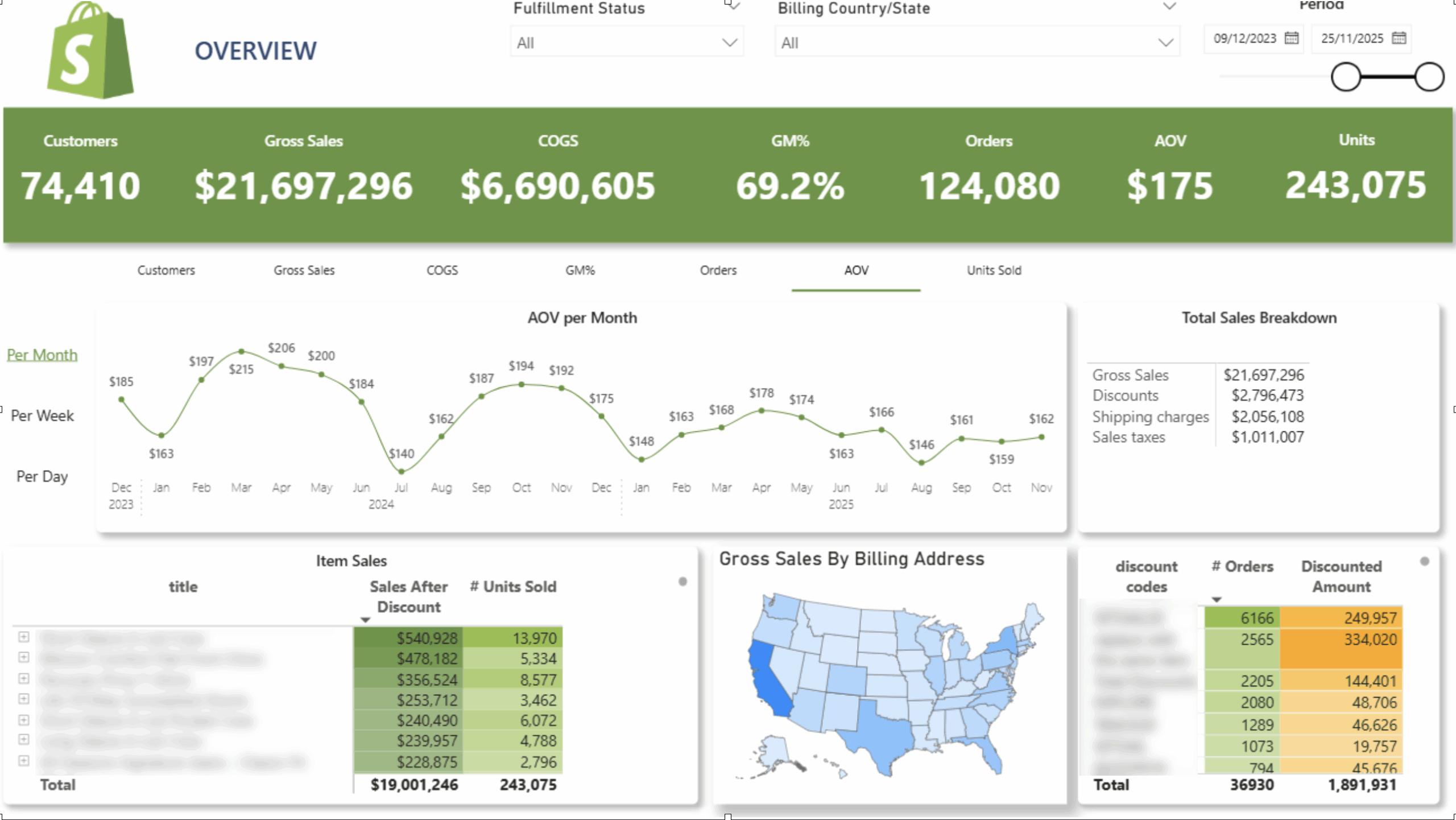
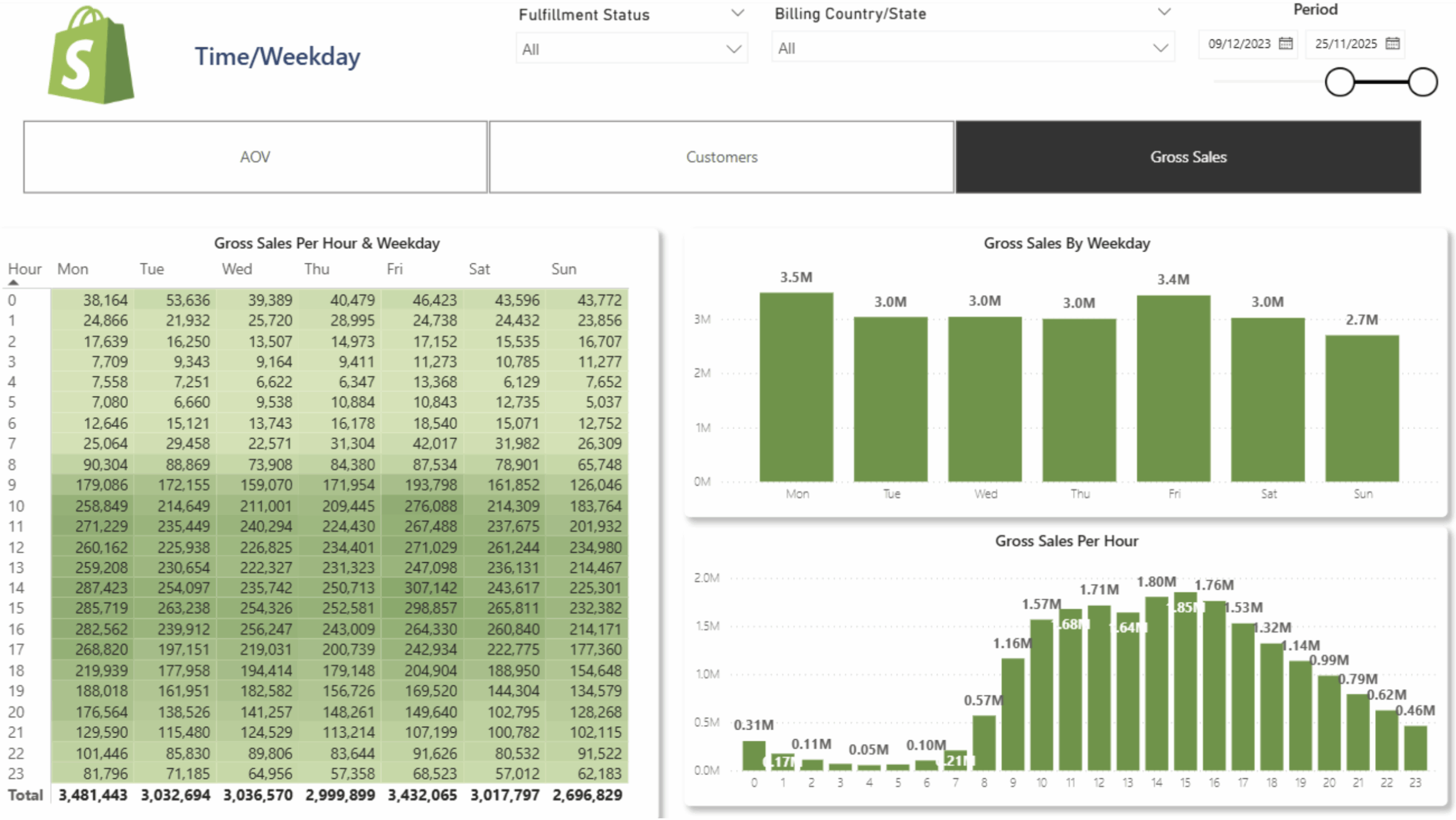
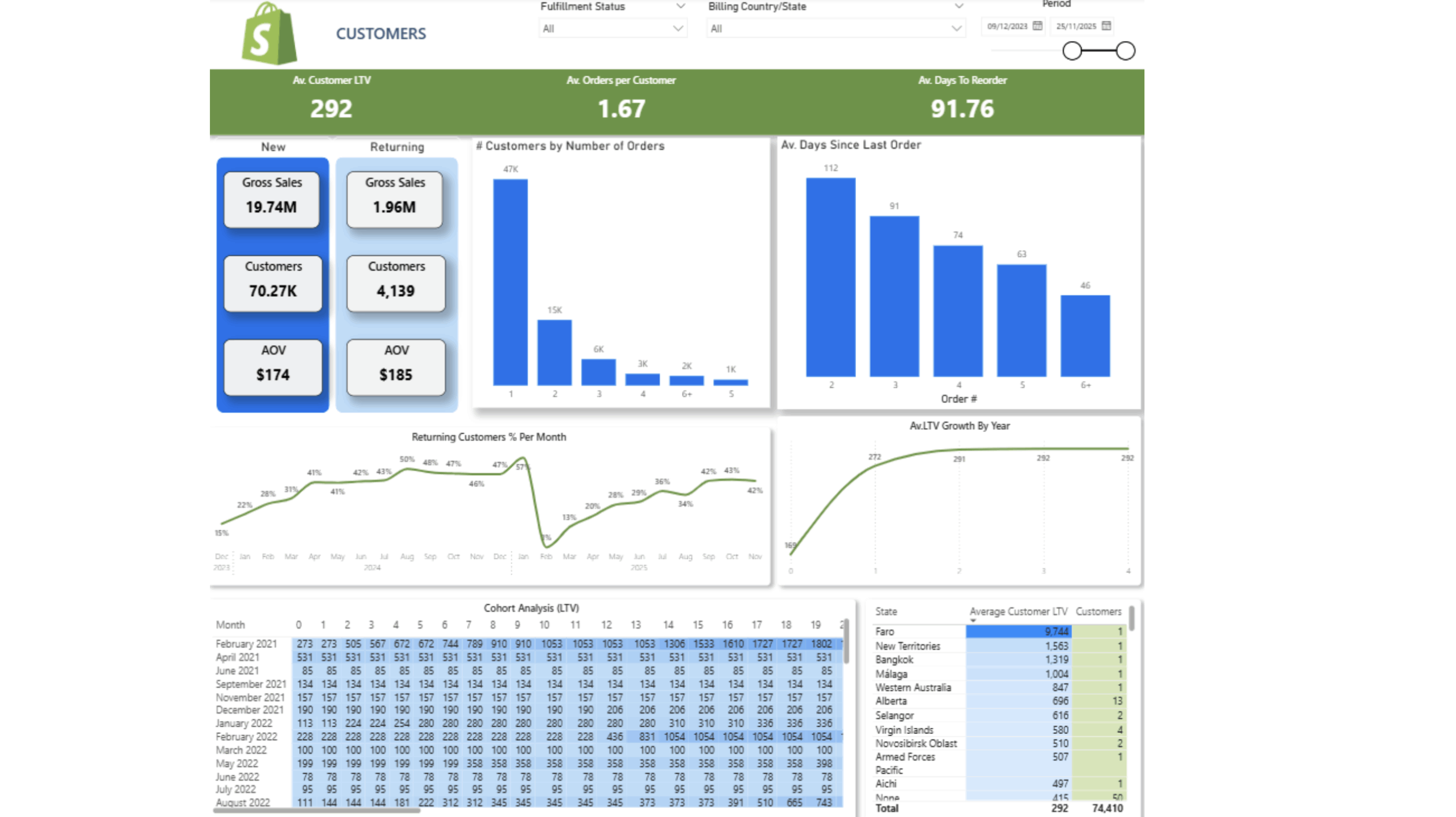
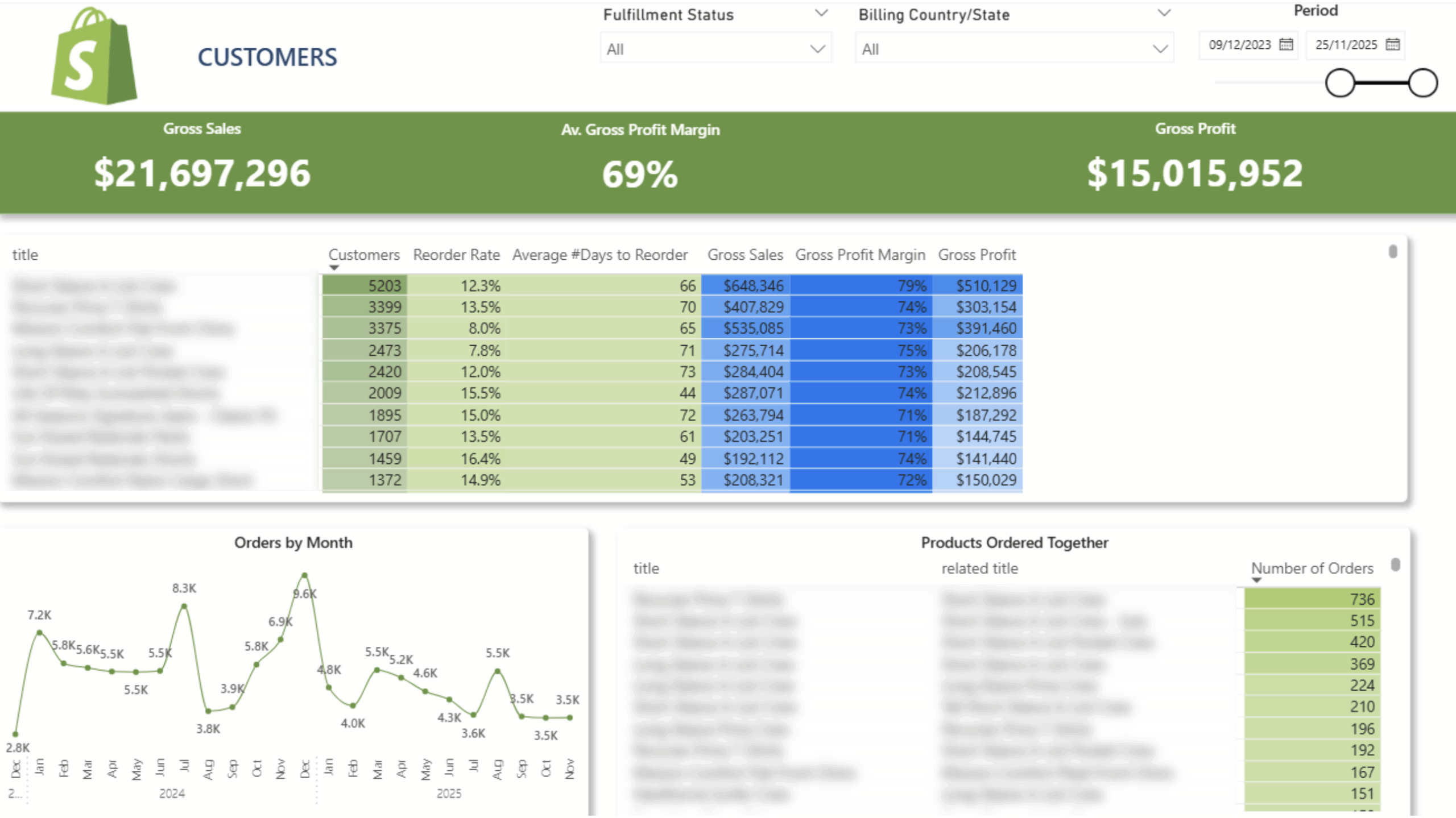
 Customer Lifetime Value
 Product Reorder Rate And Frequency
 Cohort Analysis
Items Bought Together
 New/Returning Customers
 Sales Per Hour and Weekday
Old price of the dashboard – $5000
New price – free with the purchase of our connector.
$1400 per year

14 days free trial

Unlimited number of Shopify accounts

Unlimited Customer Support
The team at Vidi has been great to work with! Super responsive to my numerous questions, and even going so far as to help me learn and make small changeson my own.
Chris Ginsbach

Great service and tools worked exactly as expected
Michael Khoury
Great group to work with, understood my needs and helped me design a solution that works
Michael Russell