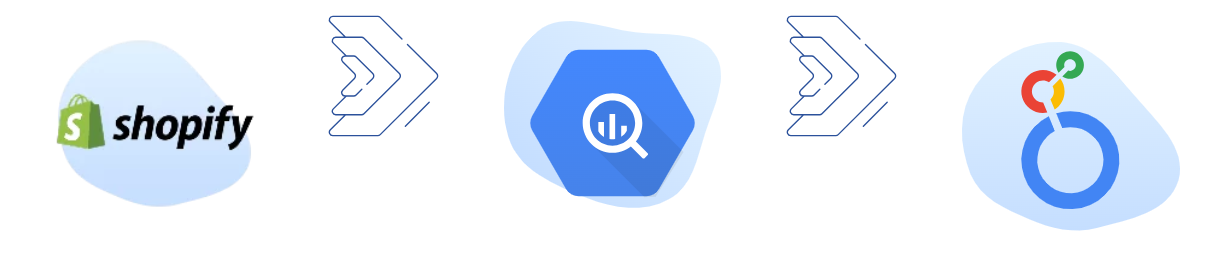

Shopify


Google BigQuery

Looker Studio
Turn Shopify data into shareable dashboards in Looker Studio without CSV exports, fragile spreadsheets, or manual reporting. Our Shopify to Looker Studio connector pulls your store data into an analytics-ready model so you can build (and refresh) accurate e-commerce reports in minutes.
Looker Studio is a powerful, free visualization tool, but it lacks a native connector for Shopify. Manually exporting CSV files is time-consuming, error-prone, and instantly creates outdated reports. Our connector solves this by:
With Vidi’s Shopify Looker Studio Connector, you can turn raw call data into actionable insights for smarter decision-making.
Import your Shopify data into any destination using our connector.







Challenge

Sales dashboard for an e-commerce company
An expanding e-commerce company utilised an alternative Shopify Looker Studio connector. However, they faced significant delays in data loading, which extended the hours required for development tasks.
Solution

We deployed our Shopify Looker Studio Connector to transfer over 30 GB of Shopify data into a Google BigQuery server database. This eliminated the need for Looker Studio to handle the resource-intensive process of sending API requests to Shopify, reducing data loading times to under a minute.

Challenge
Geo Analysis for a Global E-Commerce Brand
A global e-commerce brand needed to analyse sales performance by region to adjust marketing strategies.
Solution
The store used our connector that enabled geo-analysis in Looker Studio. Analysis provided insights into regional sales trends, customer preferences and inventory demand.

Challenge
Financial reporting for a multi-channel retailer
A retailer with multiple sales channels struggled to consolidate financial data from Shopify. This resulted in inaccurate reporting.
Solution
Our Shopify Looker Studio connector automates data integration, enabling real-time financial dashboards to track revenue, expenses, and profitability across all channels.
We offer a no-code integration that automatically extracts data from the Shopify API into Google BigQuery. Looker Studio connects directly to this database, delivering a stable, high-performance reporting layer that supports large data volumes and advanced security controls.

Install
Open our client portal, navigate to the Shopify connector, and press install. This action creates all tables in your selected database, which your data will later feed into.

Connect new company
Connect to Shopify by logging in, and choose any stores you want to include.

Wait for the data to sync
Since the full history needs to be imported, the first refresh will require a few hours. After that, each refresh will complete within minutes. Check the refresh status tab to track the process.

Install our free Shopify template
Install our free Shopify template and start visualizing your data in just 5 minutes! You can later customize the PBIX file however you like.
Our Shopify Connector pulls data in an organised format, saving you countless hours in extensive data preparation. You will get ready-made tables, including:
Additional customisations are available upon request.
You get a FREE dashboard when you purchase our connector
The template includes the following pages:
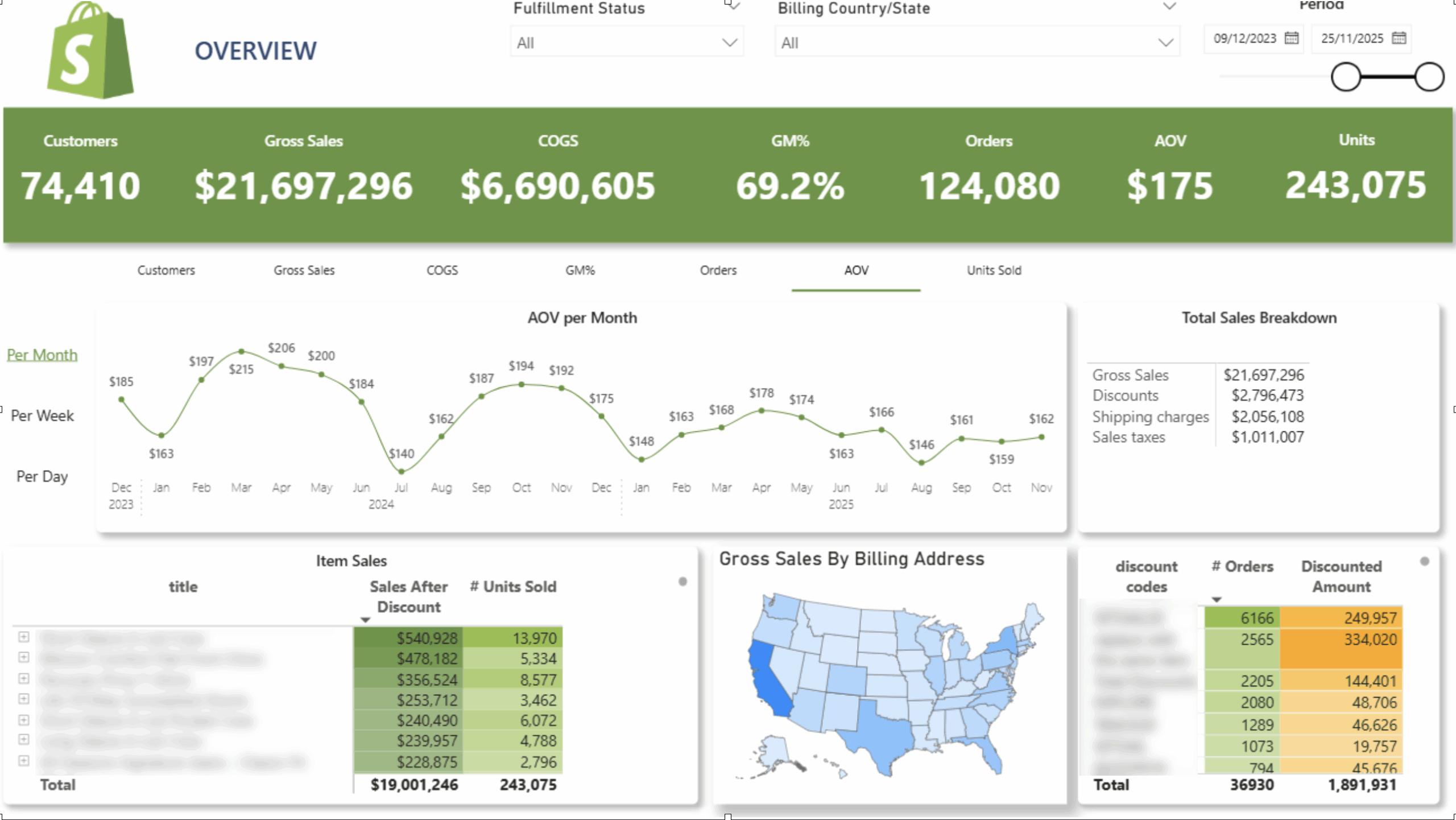
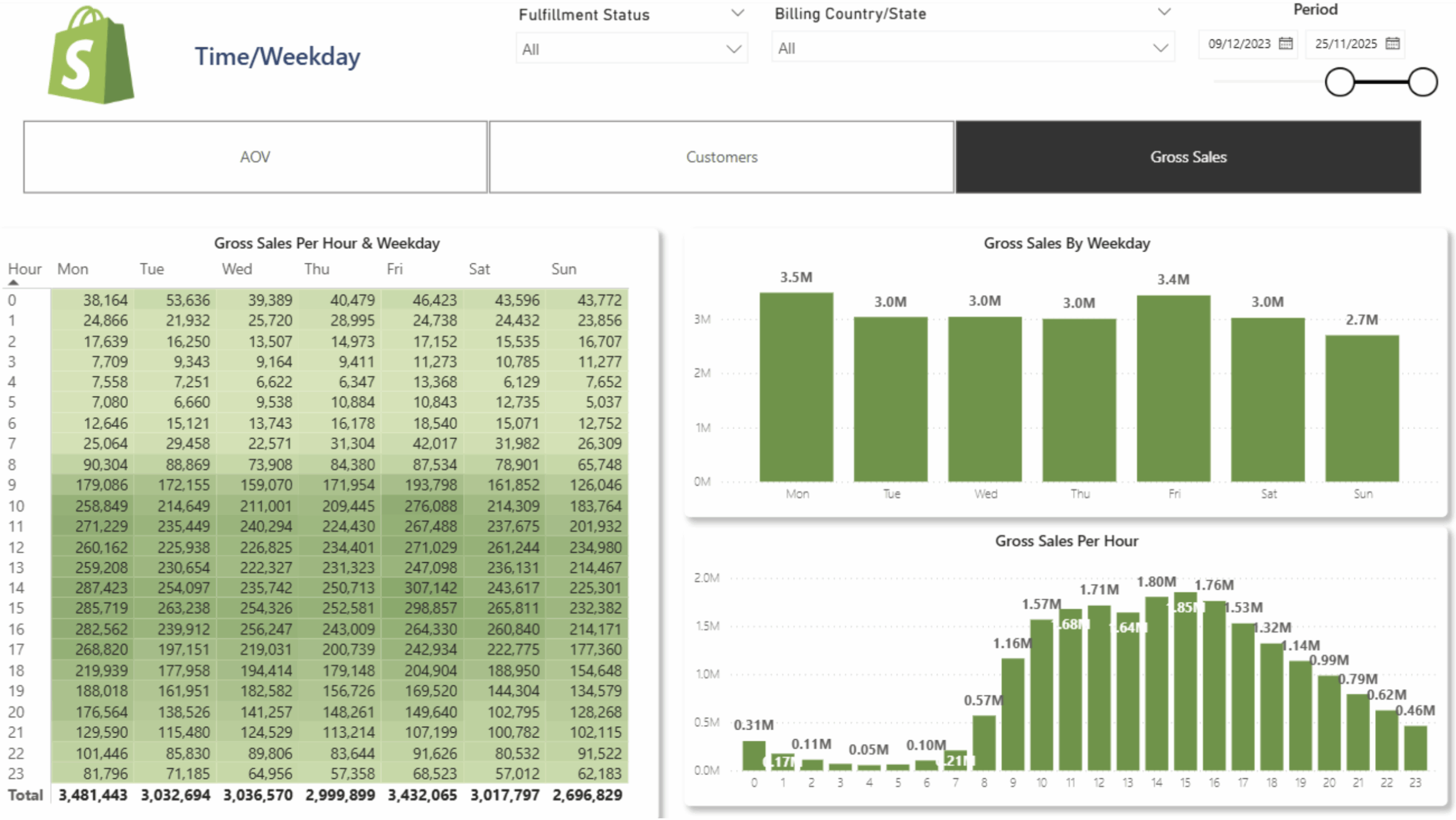
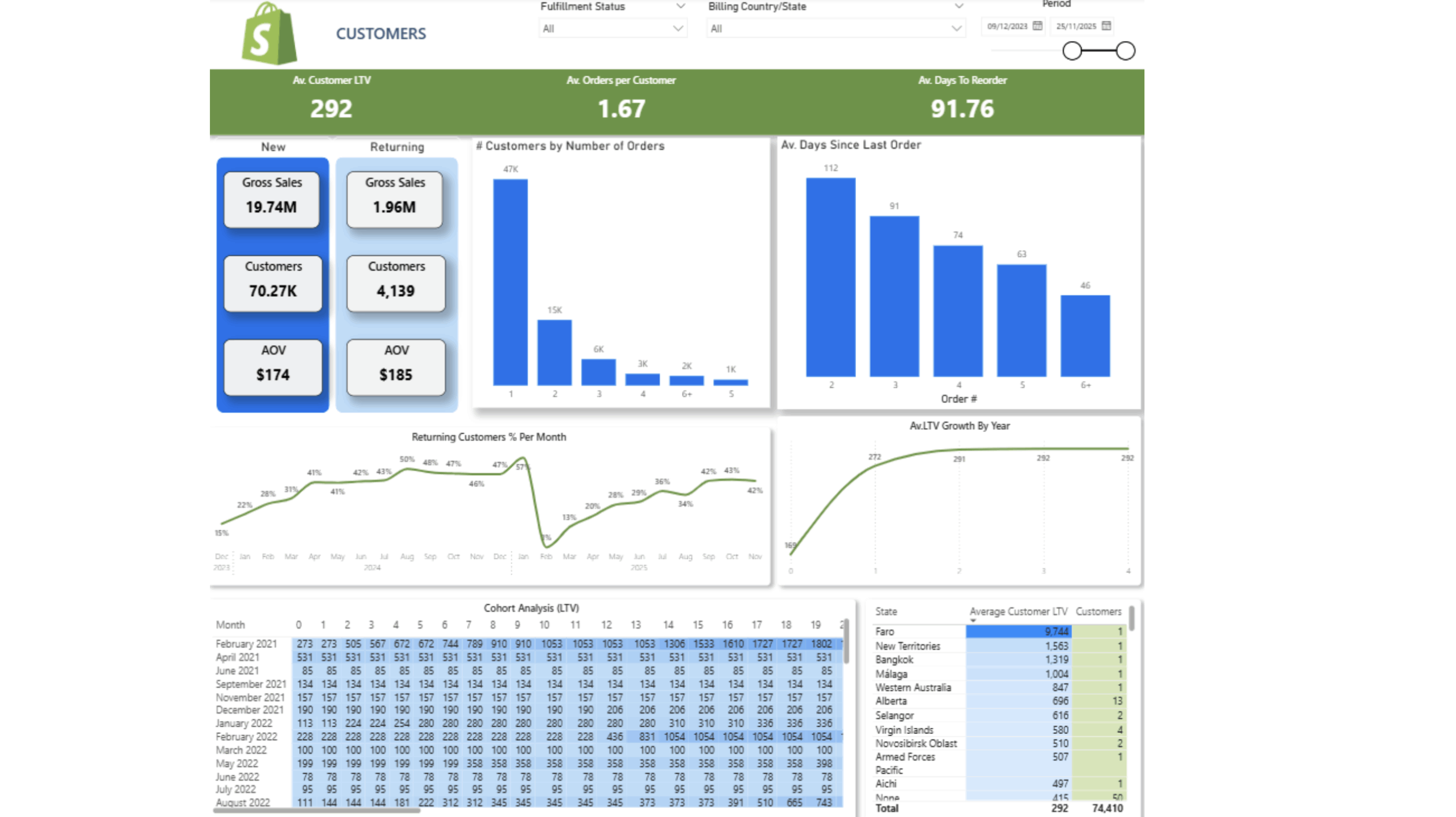
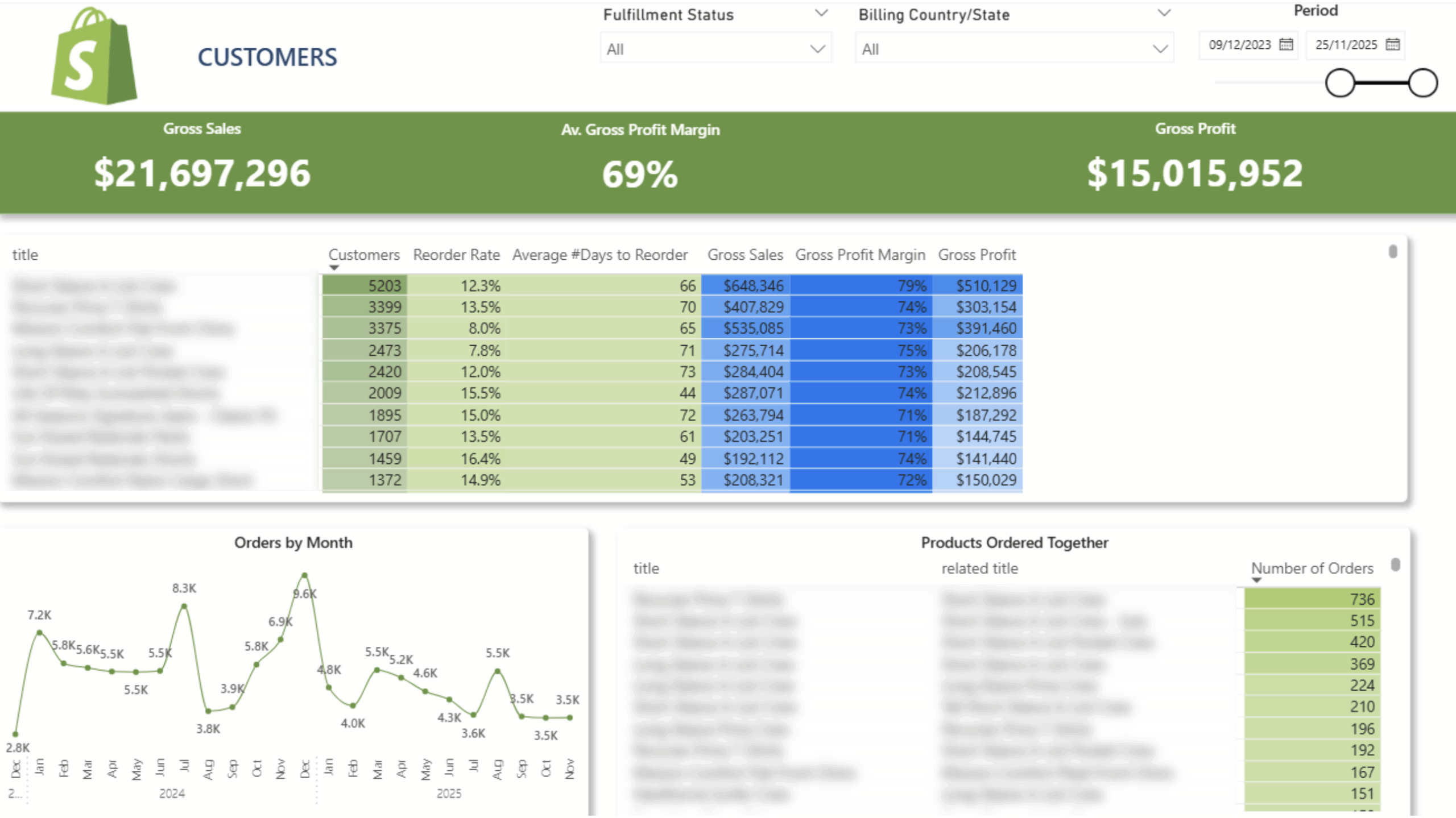
 Customer Lifetime Value
 Product Reorder Rate And Frequency
 Cohort Analysis
Items Bought Together
 New/Returning Customers
 Sales Per Hour and Weekday
Old price of the dashboard – $5000
New price – free with the purchase of our connector.
$1400 per year

14 days free trial

Unlimited number of Shopify accounts

Unlimited Customer Support
The team at Vidi has been great to work with! Super responsive to my numerous questions, and even going so far as to help me learn and make small changes on my own.
Chris Ginsbach

Great service and tools worked exactly as expected
Michael Khoury
Great group to work with, understood my needs and helped me design a solution that works
Michael Russell