

Shopify


Google BigQuery

Google Sheets
Unlock the full value of your Shopify store data with our Shopify to Google Sheets connector, a smart and automated way to send e-commerce data directly into Google Sheets for reporting, analysis, collaboration, and forecasting.
Our connector delivers a complete, enterprise-ready integration tailored for e-commerce teams:
Automated Data Sync: Schedule Shopify data to flow automatically into Google Sheets, hourly, daily, or on demand, so your reporting is always current.
Handles High Volume Data: Built to scale effortlessly, supporting high transaction volumes and deep historical data without slowdowns.
Deep Shopify Data Coverage: Sync key Shopify objects, including orders, customers, products, inventory levels, and custom fields, giving you a complete business picture in your spreadsheet.
No Code, Easy Setup: Connect without any coding skills. Link Shopify to Sheets with guided authentication and simple configuration using our standard integration tool.
Blend Data from Multiple Sources: Bring in additional data from third-party apps like Google Analytics, ads platforms, or CRM systems to enrich your Shopify reports directly in Sheets.
Automatically sync Shopify inventory data into Google Sheets for real-time stock visibility and reporting. Track product and variant inventory, SKUs, and location-level availability in one centralised sheet, without manual exports. Use live inventory data to forecast demand, set reorder points, monitor sell-through rates, and collaborate with operations and fulfilment teams. Built to handle large product catalogues and high data volumes, the integration scales reliably as your Shopify store grows.
Integrate Shopify order data directly into Google Sheets with no manual exports. Analyse orders, customers, products, pricing, taxes, refunds, and fulfilment in one live spreadsheet. Create custom sales and revenue reports using Sheets formulas and pivot tables. Combine orders from multiple Shopify stores into a single dataset for consistent reporting. Built to support high-order volumes and long data histories. Ideal for finance, operations, and ecommerce teams.
With Vidi’s Shopify Connector, you can turn raw call data into actionable insights for smarter decision-making.
Import your Shopify data into any destination using our connector.







Challenge

Sales dashboard for an e-commerce company
An expanding e-commerce company utilised an alternative Shopify Google Sheets connector. However, they faced significant delays in data loading, which extended the hours required for development tasks.
Solution

We deployed our Connector to transfer over 30 GB of Shopify data into a Google BigQuery server database. This eliminated the need for Google Sheets to handle the resource-intensive process of sending API requests to Shopify, reducing data loading times to under a minute.

Challenge
Geo Analysis for a Global E-Commerce Brand
A global e-commerce brand needed to analyse sales performance by region to adjust marketing strategies.
Solution
The store used our connector that enabled geo-analysis in Google Sheets. Analysis provided insights into regional sales trends, customer preferences and inventory demand.

Challenge
Financial reporting for a multi-channel retailer
A retailer with multiple sales channels struggled to consolidate financial data from Shopify. This resulted in inaccurate reporting.
Solution
Our Shopify Google Sheets connector automates data integration, enabling real-time financial dashboards to track revenue, expenses, and profitability across all channels.
Our no-code pipeline streams Shopify data into Google BigQuery, where it’s optimised for scale and security. Google Sheets then connects directly to the database, ensuring fast, reliable reporting even with high data volumes.

Install
Find the Shopify connector inside our client portal and click install. This will create all the tables inside the selected database. Your data will later flow to these tables.

Connect a new company
Authenticate to your Shopify account and select one or more companies you want to connect to.

Wait for the data to sync
The first database refresh will take a few hours as all the historical data will be extracted. Every refresh afterwards will take a couple of minutes. You can use the refresh status tab to view the refresh status.
Our Shopify Connector pulls data in an organised format, saving you countless hours in extensive data preparation. You will get ready-made tables, including:
Additional customisations are available upon request.
You get a FREE dashboard when you purchase our connector
The template includes the following pages:
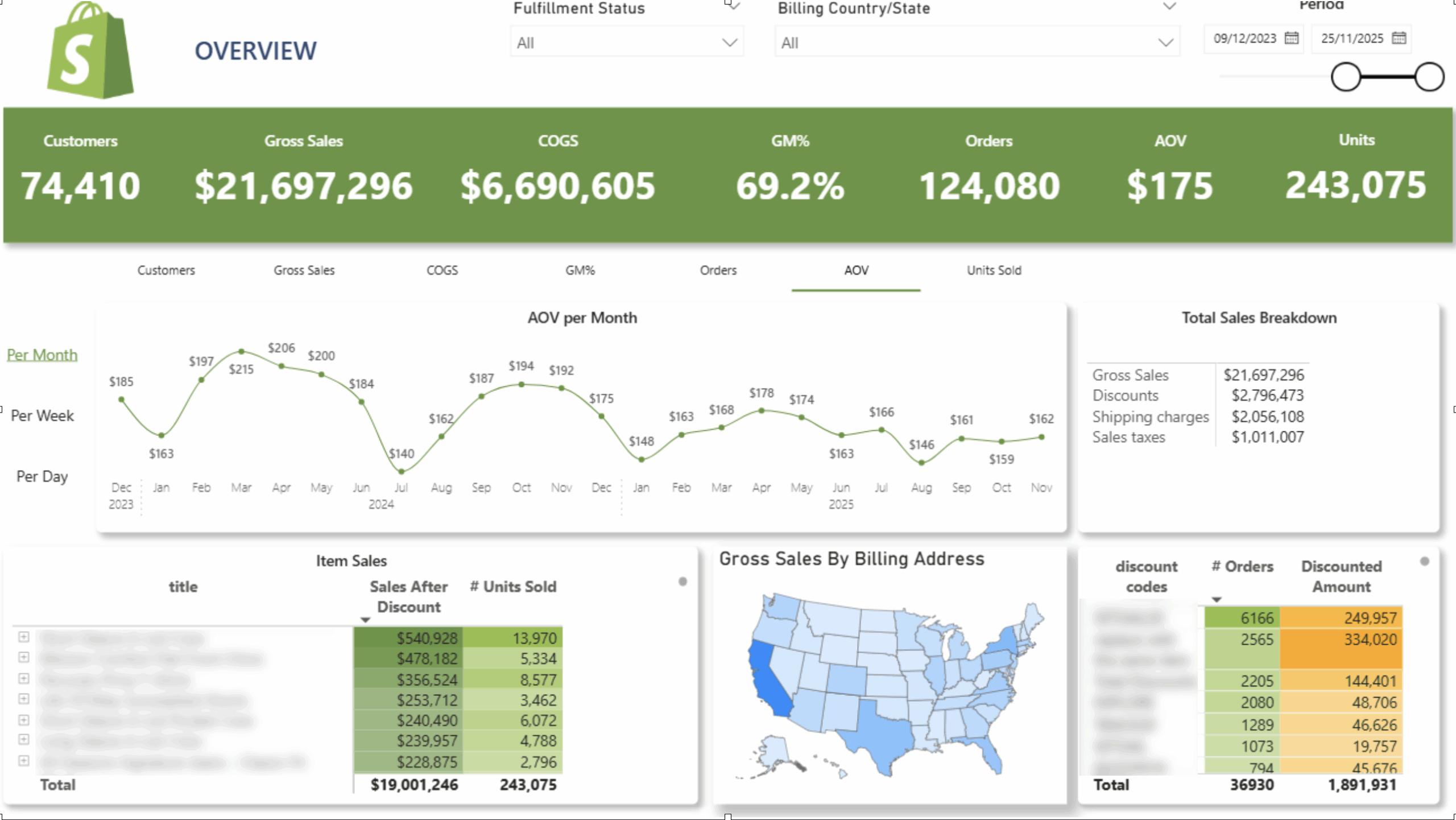
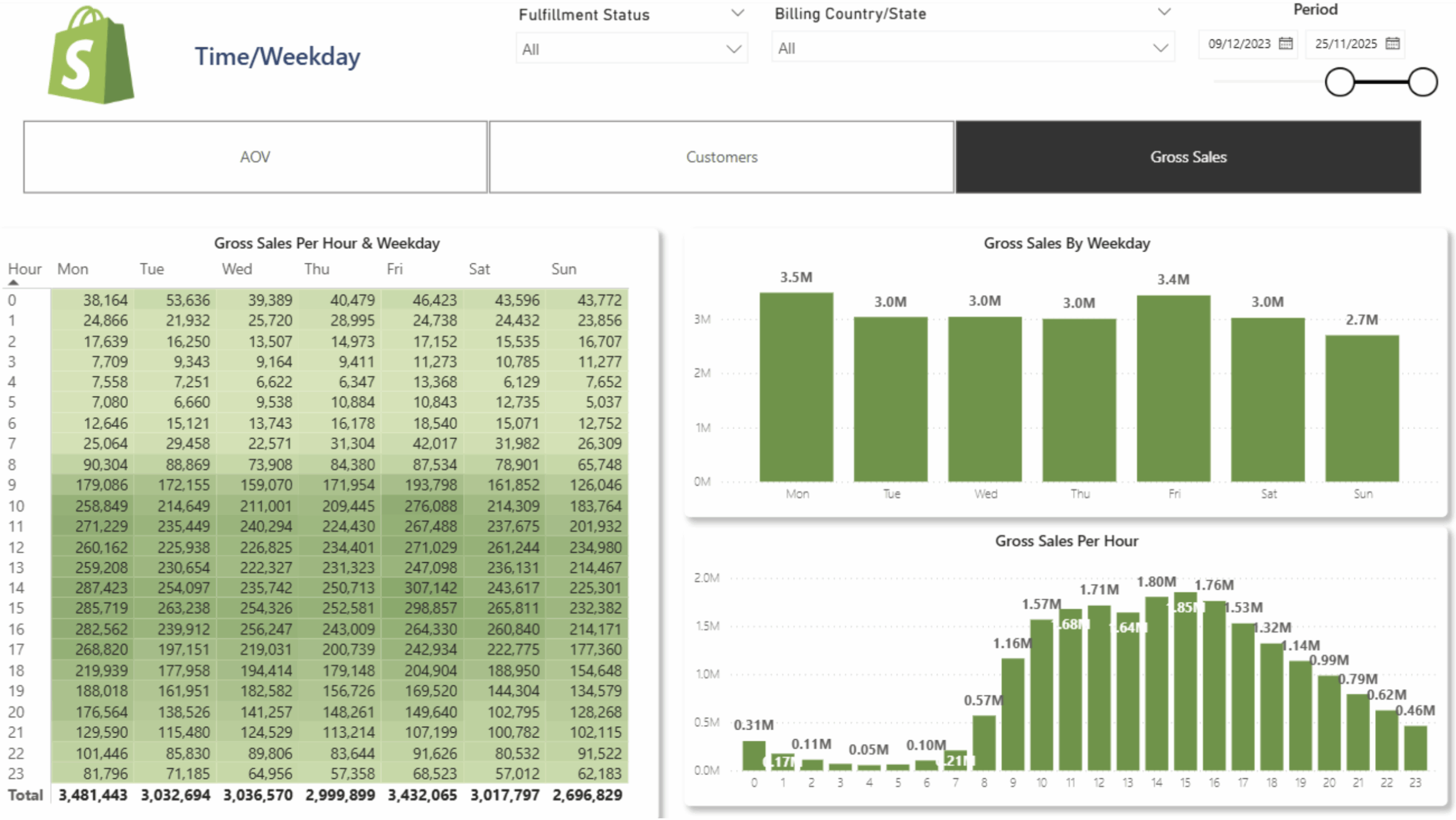
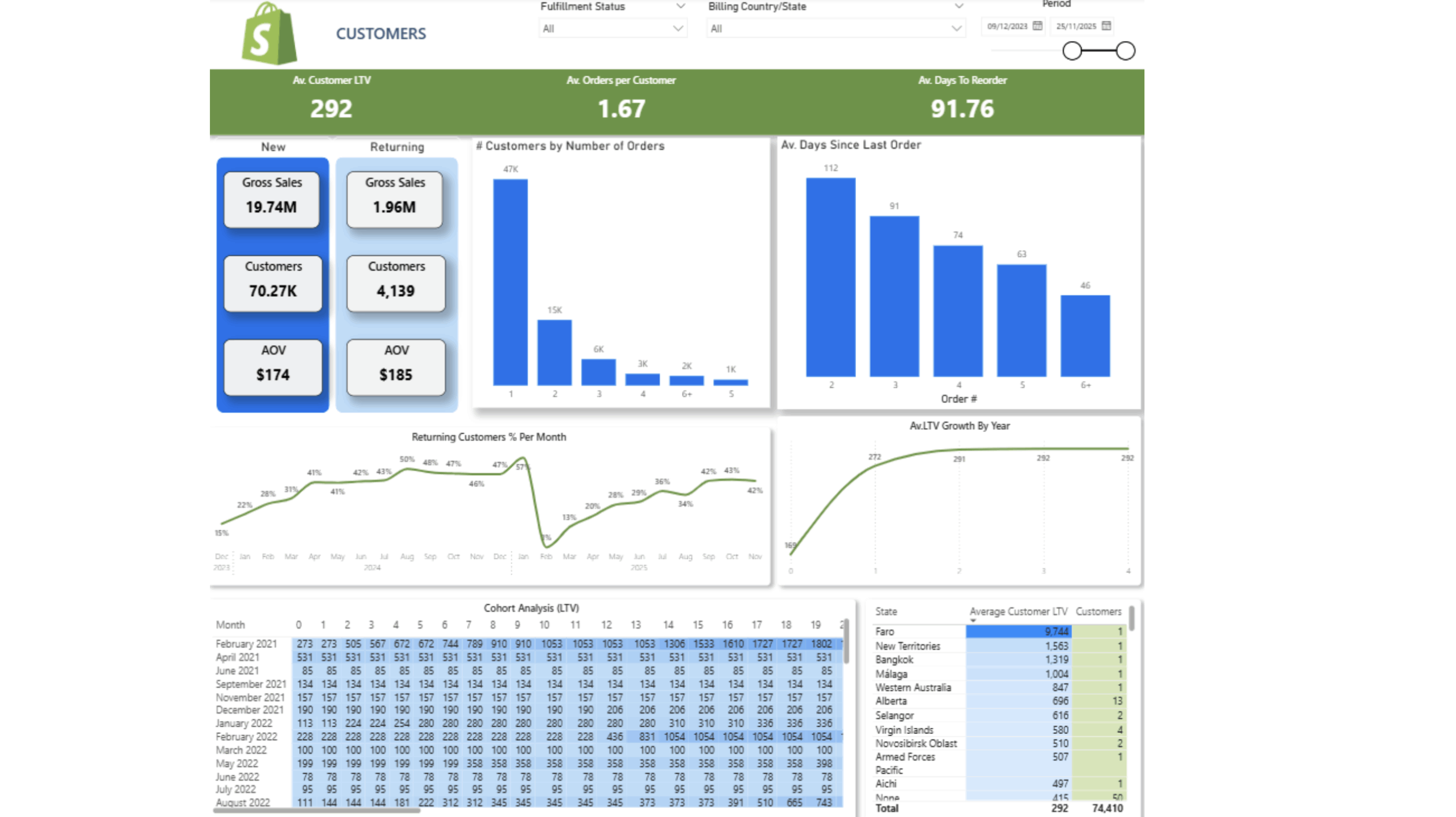
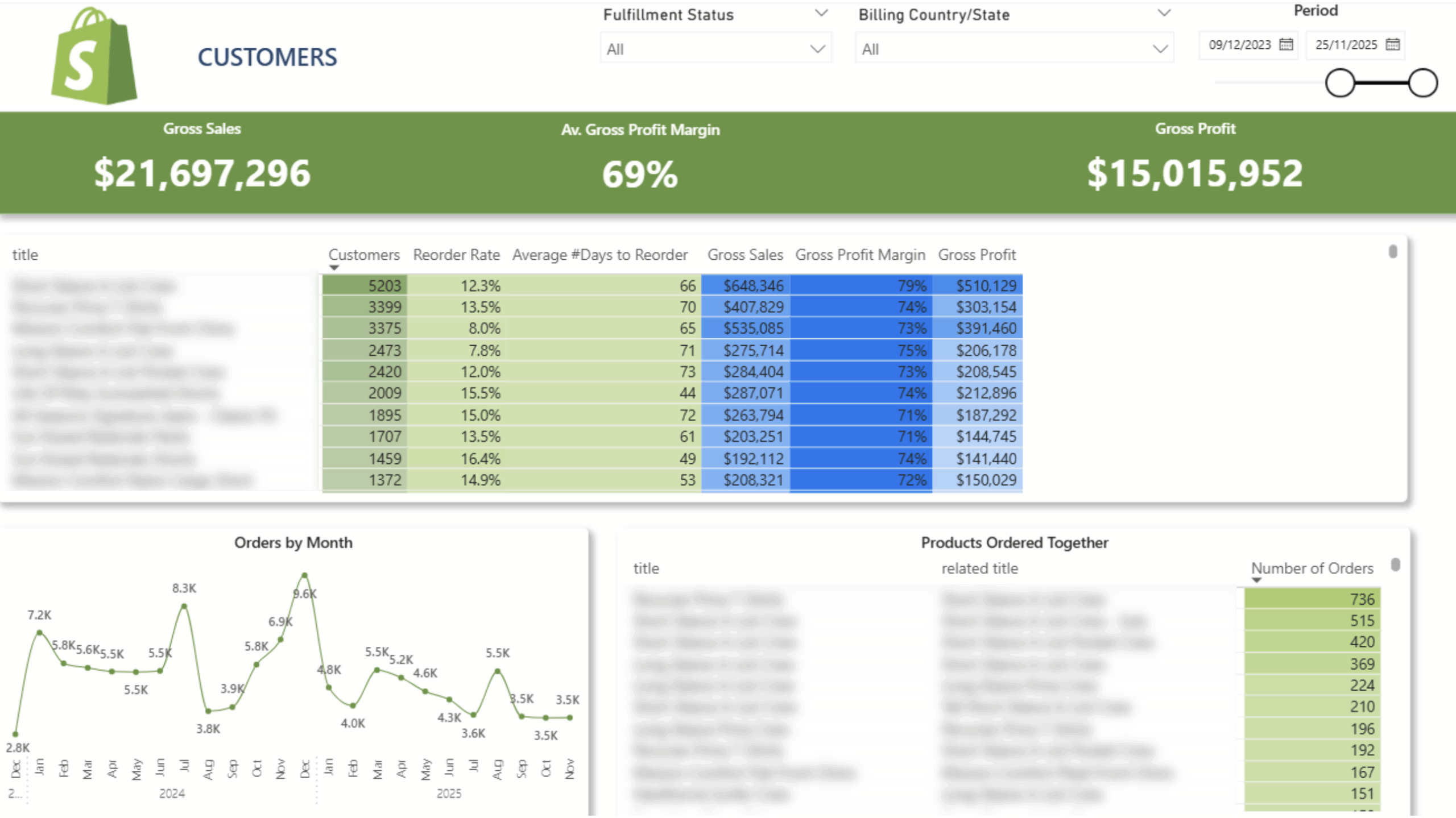
 Customer Lifetime Value
 Product Reorder Rate And Frequency
 Cohort Analysis
Items Bought Together
 New/Returning Customers
 Sales Per Hour and Weekday
Old price of the dashboard – $5000
New price – free with the purchase of our connector.
$1400 per year

14-day free trial

Unlimited number of Shopify accounts

Unlimited Customer Support
The team at Vidi has been great to work with! Super responsive to my numerous questions, and even going so far as to help me learn and make small changes on my own.
Chris Ginsbach

Great service and tools worked exactly as expected
Michael Khoury
Great group to work with, understood my needs and helped me design a solution that works
Michael Russell