
ClickUp


BigQuery
ClickUp BigQuery Integration by Vidi Corp is a reliable way to automate ClickUp data extraction and load it into Google BigQuery for analytics. Centralise tasks, projects, time tracking, custom fields, and team activity in a scalable cloud data warehouse.
Automatically sync tasks, lists, spaces, users, custom fields, and time tracking
Build custom KPI dashboards for delivery, workload, productivity, and performance
ClickUp is a widely used project management platform for managing projects, docs, and team collaboration in one place. BigQuery is Google Cloud’s fully managed, serverless enterprise data warehouse, designed for large-scale analytics without infrastructure management. When we help you integrate ClickUp with BigQuery, you unlock reporting capabilities that are difficult to achieve with native views and manual exports.
1. Scalable analytics for large ClickUp environments
As your lists, spaces, and tasks grow, manual exports and spreadsheet reporting become fragile. BigQuery is built for analytics at scale, allowing you to query large datasets quickly using SQL and support long history reporting.
2. Consistent KPIs across teams and workspaces
With ClickUp data in BigQuery, you can standardise definitions for cycle time, throughput, blocked work, overdue tasks, workload distribution, and sprint performance. This enables cross-team comparisons and reduces reporting disagreements.
3. Consolidation across multiple ClickUp accounts
Many organisations operate more than one ClickUp workspace across departments, regions, or client teams. Our integration merges multiple accounts into a single dataset, enabling portfolio reporting, global utilisation views, and consolidated leadership dashboards.
4. Faster reporting with automated refresh
ClickUp API extraction can require paging and careful handling of limits, which is time-consuming to manage manually. For example, the ClickUp Get Tasks endpoint returns tasks in pages and limits responses to 100 tasks per page. Our managed pipeline automates refresh and reduces ongoing admin effort.
5. Cleaner, analytics-ready structure
We deliver ClickUp entities as structured BigQuery tables designed for analysis, so you spend less time reshaping raw API outputs and more time building dashboards.
With Vidi’s ClickUp BigQuery Integration, you gain advanced reporting that’s hard to replicate using ClickUp’s native views or manual exports.
Learn more about our connector below:






Challenge

Construction Site Management
A construction firm used ClickUp for project management but faced difficulties in tracking resource allocation and project timelines. Manual reporting led to delays and inefficiencies.
Solution

The firm used our ClickUp BigQuery Connector to sync real-time project data. They built dashboards to monitor resource utilisation, project progress and budget tracking.

Challenge
Software Development Workflow
A software development team needed to track sprint progress, bug resolution time and custom fields for client reporting.
Solution
The client used VIDI ClickUp BigQuery connector to extract custom fields and task data.

Challenge
Demand Forecasting for a Retail Chain
A retail chain used ClickUp for task management, but struggled to forecast demand accurately. Manual processes led to overstocking and lost sales.
Solution
The chain implemented our ClickUp BigQuery Connector to integrate task data with sales data. They built dashboards to analyse sales trends and predict demand.
We provide a no-code solution that pulls data from ClickUp into a Google BigQuery database. This database can easily connect to BI tools for visualization.

Install
Find the ClickUp connector inside our client portal and click install. This will create all the tables inside the selected database. Your data will later flow to these tables.

Connect a new company
Log in to your ClickUp account and choose one or more companies you wish to connect to.

Wait for the data to sync
The first refresh will take a few hours since it includes all past data. Later refreshes will be much faster, completing in minutes. Monitor the status in the refresh tab.
Our ClickUp Connector pulls data in an organised format, cutting down on hours of manual data preparation. You will get access to pre-built tables such as:
Additional customisations are available upon request.
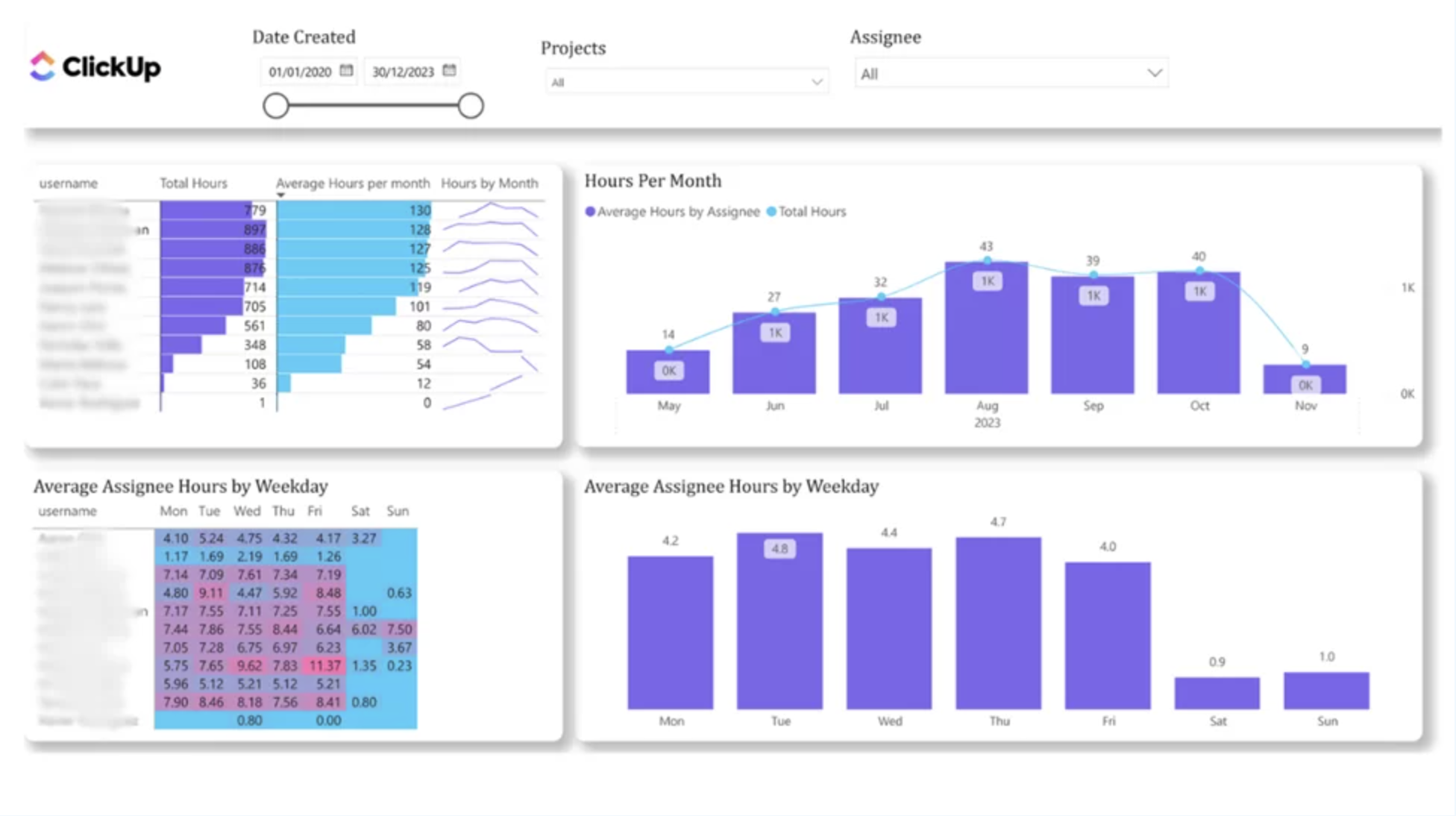
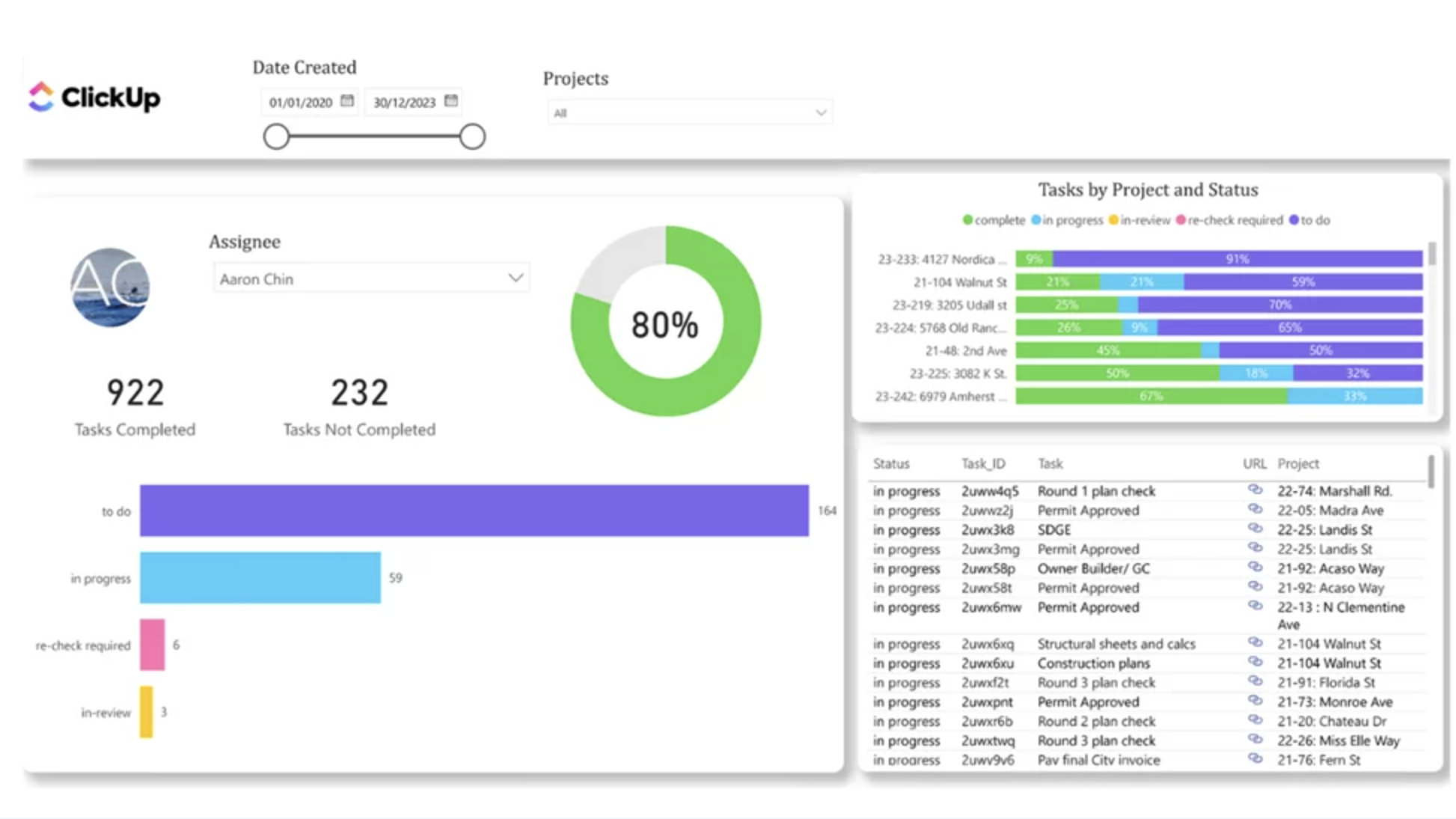
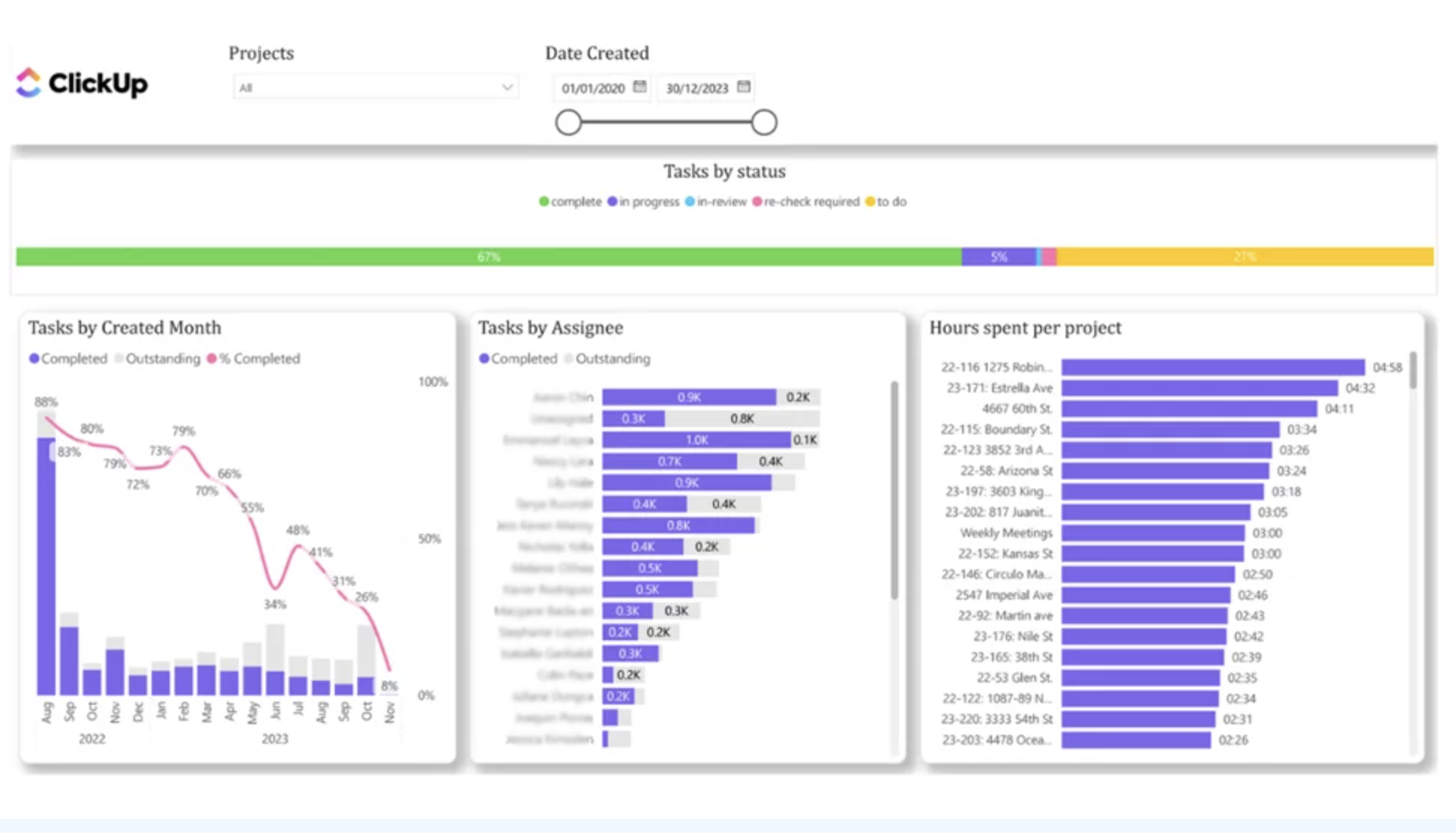
You get a FREE dashboard when you purchase our connector
The template includes the following pages:
$1000 per year

14 days free trial

Unlimited number of ClickUp accounts

Unlimited Customer Support
 Resource utilisation Visualised
 Project pipeline
 Task tracker Visualised
 Workload
 Task status Visualised
 Cycle time
The team at Vidi has been great to work with! Super responsive to my numerous questions, and even going so far as to help me learn and make small changeson my own.
Chris Ginsbach

Great service and tools worked exactly as expected
Michael Khoury
Great group to work with, understood my needs, and helped me design a solution that works
Michael Russell