Free Power BI Templates

Why reinvent the wheel? Use the free Power BI templates from our experienced consultants! Comprehensive documentation and step-by-step instructions are available to help you get started quickly and confidently.

These templates already have all the formulas needed to make your numbers match the data source! Once you install these Power BI templates you can customize them further in Power BI Desktop.

Please note: all of our templates are built using our Power BI data connectors. You will need to start your free trial and connect the data to install them.

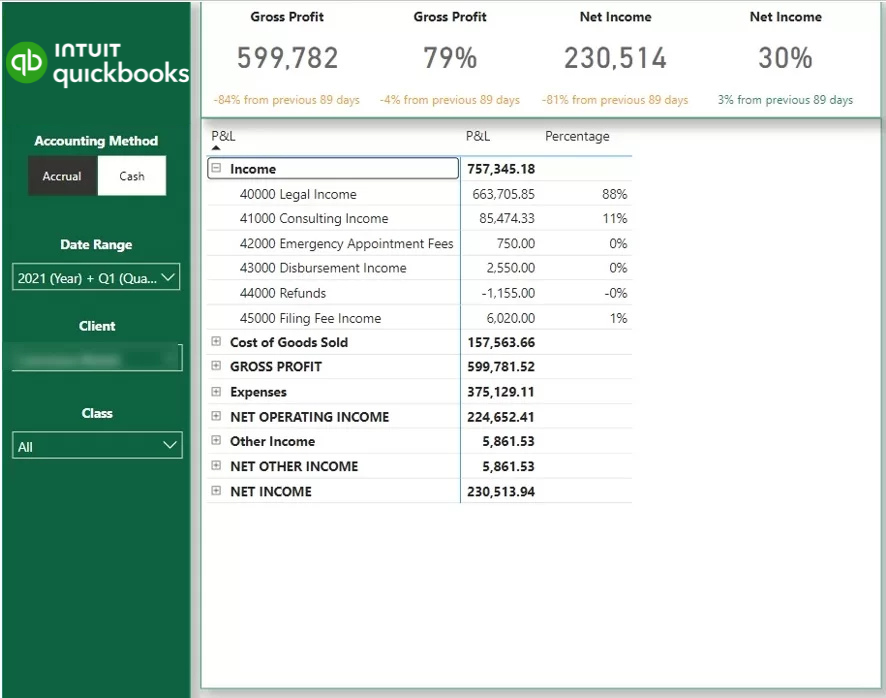
  • P&L Dashboard – visualize key financial metrics, and monitor business performance over time. Drill down to transaction level.
  • Balance Sheet Dashboard – Easily track assets, liabilities, and equity
  • Cash Flow Dashboard – break down cash flow to investing, financing and operational activities 
  • Aging Account Receivables – Monitor outstanding invoices, overdue payments, and customer balances.
  • Actuals vs Budget Dashboard – compare actual financial results to budgeted figures, and identify variances

Data sources used:

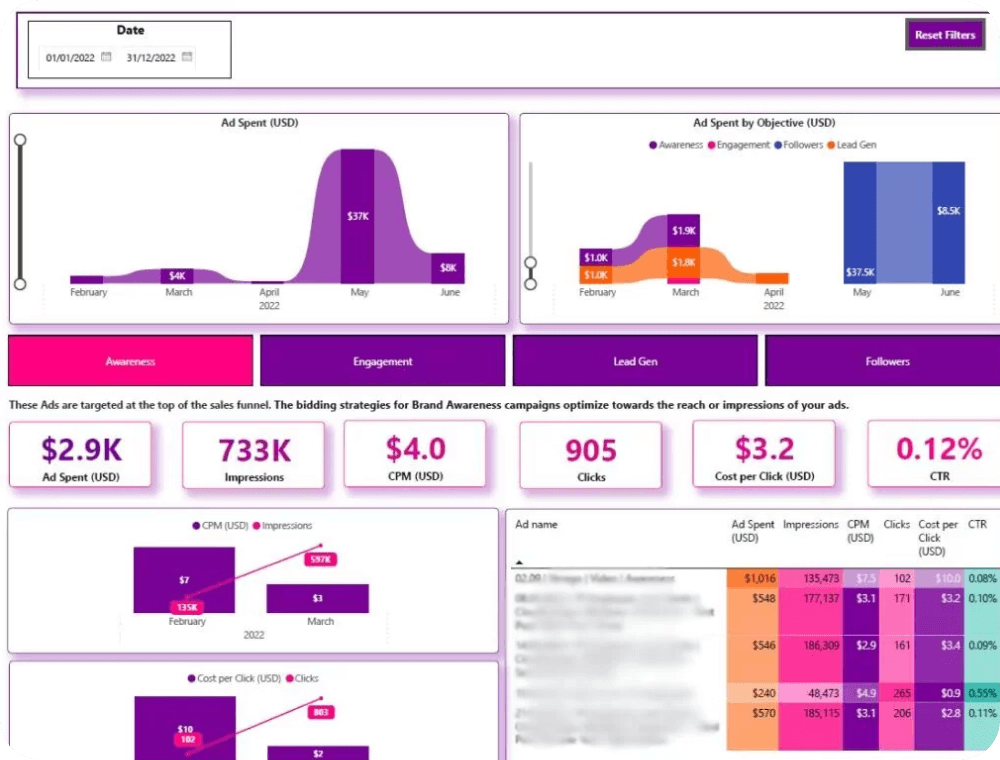
  • Awareness Dashboard – Track top-of-the-funnel metrics such as Impressions, Clicks, and CTR to measure brand visibility and reach performance.
  • Engagement Dashboard – Monitor engagement metrics including Impressions, Clicks, Likes, and Reactions to evaluate audience interaction and content effectiveness.
  • Lead Generation Dashboard – Measure lead-focused performance with metrics such as Leads and Cost per Lead to optimize campaign ROI.
  • Followers Dashboard – Analyze follower growth campaigns by tracking new Followers and Cost per Follower to assess brand community expansion.

Data sources used:

Linkedin Logo
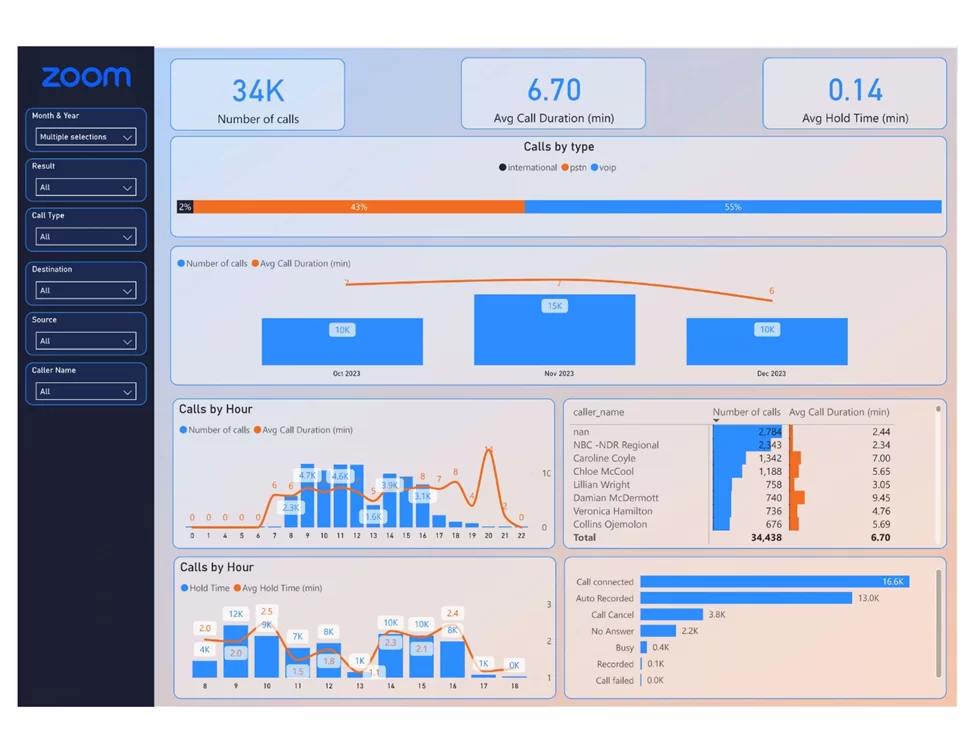
  • Inbound Phone Calls Analytics – Analyze unanswered calls, answer rates, wait times, and hold times by hour and by agent to optimize support team performance.

  • Outbound Phone Calls Analytics – Track outbound call volume, answer rates, and optimal calling times to improve sales outreach effectiveness.

  • Zoom Meetings Overview Dashboard – Track total meetings, average duration, and total meeting hours to understand team time investment.

Data sources used:

Zoom Logo
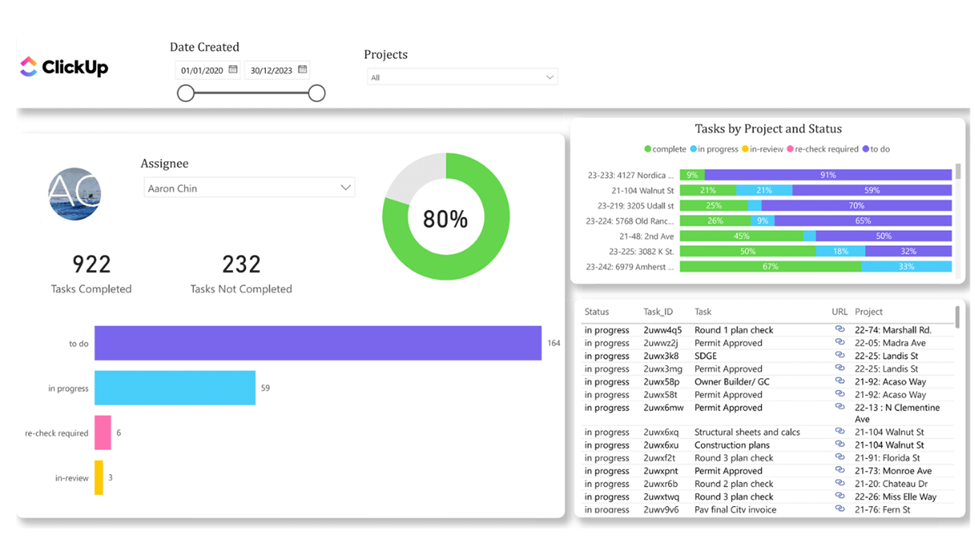
  • Resource Utilization Dashboard – Monitor total and average hours worked by each assignee across projects to identify overutilized or underutilized team members and balance workloads effectively.
  • Employee Performance Dashboard – Track task statuses across projects to measure progress, assess team capacity, and quickly access task details for action.
  • Tasks Status Dashboard – Compare tasks created versus completed over time to evaluate completion rates, individual performance, and overall project effort.

Data sources used:

Clickup Logo
  • Shopify Sales Dashboard – Track core sales metrics such as Gross Sales, AOV, orders, and units sold over time, with breakdowns by product, location, and discount code to analyze store performance.
  • Shopify Order Time Dashboard – Analyze sales, AOV, and customer activity by weekday and hour to identify peak shopping times and optimize marketing campaigns.
  • Shopify Customers Dashboard – Measure new vs returning customers, repeat purchase behavior, and lifetime value growth to optimize retention and customer acquisition strategies.
  • Shopify Products Dashboard – Evaluate product performance, reorder rates, profitability, and frequently bought-together items to improve merchandising and increase AOV

Data sources used:

Shopify Logo
  • Profit and Loss Dashboard – Track trends for Income, Cost of Goods Sold (COGS), Gross Profit, Operating Expenses, and Net Profit, helping you understand how profitability evolves.
  • Balance Sheet Dashboard – This provides a structured overview of your company’s financial position over time. It visualises monthly trends for Assets, Liabilities, and Equity, helping you monitor how your balance sheet evolves and where structural changes occur.

Data sources used:

Xero software logo.svg
  • Profit and Loss Dashboard – Track trends for Income, Cost of Goods Sold (COGS), Gross Profit, Operating Expenses, and Net Profit, helping you understand how profitability evolves.
  • Balance Sheet Dashboard – This provides a structured overview of your company’s financial position over time. It visualises monthly trends for Assets, Liabilities, and Equity, helping you monitor how your balance sheet evolves and where structural changes occur.

Data sources used:

zoho logo

Benefits of Using Power BI Templates

Free Power BI templates offer a host of advantages for users looking to streamline their reporting and analysis processes. These templates provide a solid foundation for data visualization, allowing users to focus on interpreting results rather than building dashboards from scratch. By using these bi templates, users can quickly generate insights, enhance their analysis, and make more informed decisions.

With pre-built data models, conditional formatting, and intuitive page navigation, Power BI templates make it easy to create customized and interactive reports tailored to specific business needs. Whether you’re working in marketing, finance, or human resources, free Power BI templates help you save time, ensure consistency, and unlock the full potential of your data.

Best Practices for Using Power BI Templates

To maximize the value of free Power BI templates, it’s important to follow best practices that ensure your dashboards are both effective and efficient.

  • Start by installing the standard template and comparing your numbers to the data source.
  • Once you verify the numbers accuracy, continue with customizing templates to reflect your unique business requirements, using consistent branding and layout for a professional look.
  • Take advantage of Power BI’s advanced features, including data modeling, DAX formulas, and conditional formatting, to build robust and scalable dashboards.
  • Regularly review and optimize your templates for performance, and use interactive elements like page navigation to enhance the user experience.
Want to Build a Custom Power BI Template?

If you are looking for other solutions not listed here, talk to us to build your ideal solution.

Power BI Resources

FAQ about our free Power BI templates

How do your free Power BI templates work?

Our templates are specifically built for the data that comes out of our connectors. Once you install our connectors, you will get a respective free Power BI template as a bonus.

How do I install your templates?

Our free Power BI templates come at .pbit files. You open Power BI -> file -> import -> Power BI template. You will then need to add connection details to your templates and connect your data via our connectors.

Is there a free trial for the Power BI connectors behind these templates?

Yes, we offer a free 10 days trial for our connectors. You will get the Power BI templates installed for you as part of your free trial.

Are your templates customisable?

Yes! After installing our templates, you will get your PBIX file. You will then be able to customise the file yourself or you can engage our Power BI consultants to do this for you!

Can you create a custom template for me?

Definitely yes! Our experienced Power BI consultants can help you create your own custom template. Simply reach out to discuss your analysis needs!

Our Power BI Connectors Ensure a Smooth and Reliable Connection.

Contact us below to learn more